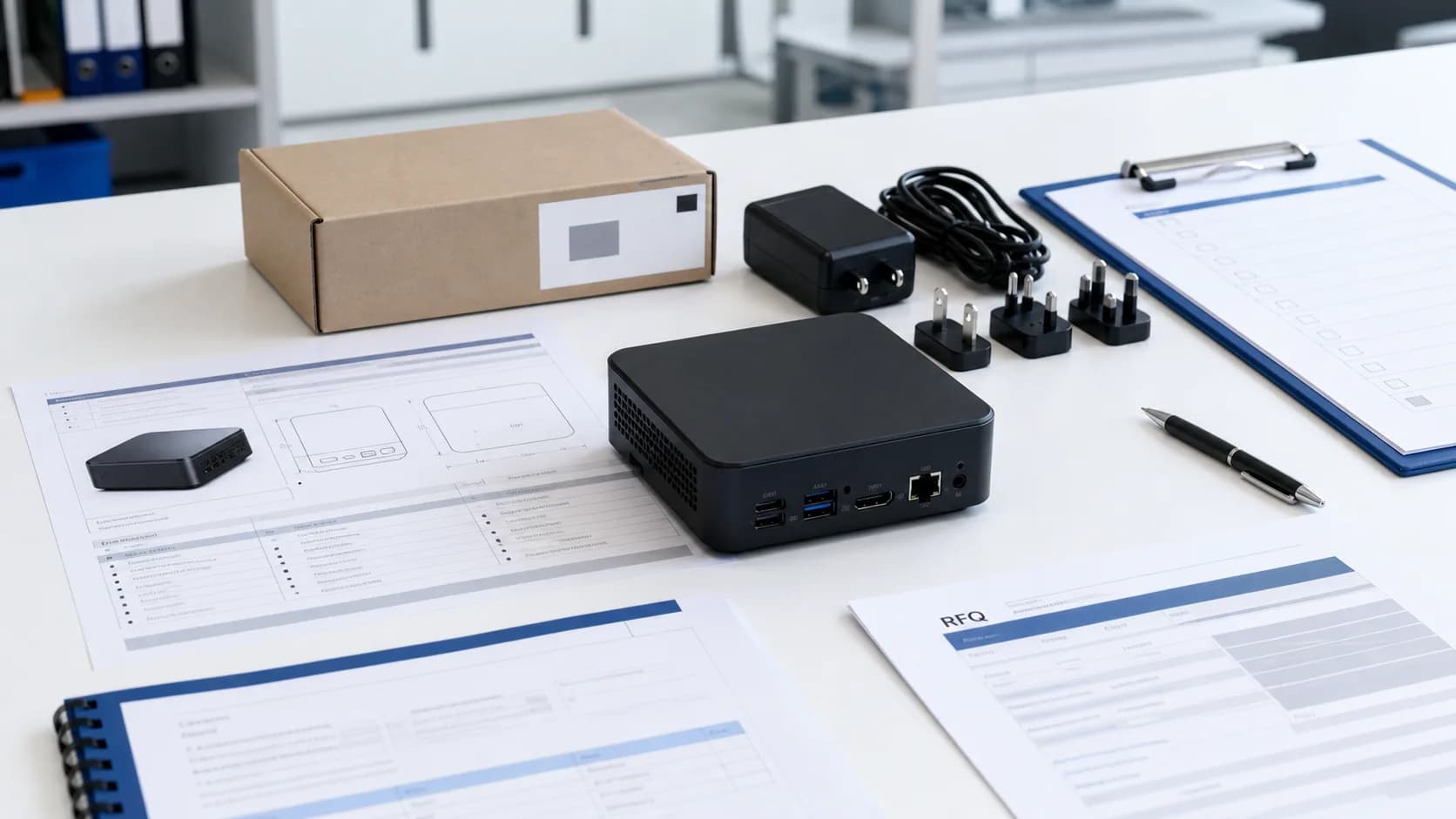
A custom Mini PC order should not start with only a processor name and quantity. For a distributor, importer, reseller, system integrator, or private-label brand, the real question is whether the supplier can turn a deployment requirement into a repeatable product specification.
That means the RFQ needs to cover more than CPU, RAM, and SSD. It should define the use case, I/O ports, thermal expectations, OS image, labels, packaging, power adapter, sample approval, compliance documents, and responsibility split after the products arrive in the destination market.
AIERXUAN supports OEM/ODM laptop and Mini PC manufacturing for upstream buyers that need configurable products, branding, samples, and production planning. This guide explains how to prepare a custom Mini PC procurement request before asking for a quote.
What a custom Mini PC means in B2B sourcing
For a consumer, "custom Mini PC" may mean choosing parts for a compact gaming build. For a B2B buyer, it usually means defining a Mini PC platform that can be supplied repeatedly for a commercial project.
The customization may include:
| Layer | What to confirm |
|---|---|
| Hardware platform | CPU generation, motherboard, chipset, cooling design, chassis, and lifecycle |
| Memory and storage | RAM capacity, SSD capacity, storage interface, and upgrade policy |
| I/O | HDMI, DisplayPort, USB-A, USB-C, LAN, audio, Wi-Fi, Bluetooth, serial ports when needed |
| Power | Adapter type, plug standard, voltage range, certification expectations, spare adapter policy |
| Software | Windows or Linux image, drivers, recovery behavior, language/input settings |
| Branding | Logo, label, boot screen, packaging, carton mark, user material |
| Documents | Product certifications, commercial invoice, packing list, certificate of origin when applicable |
The key is to separate what is fixed by the chosen platform from what can be configured for your project. A supplier may be able to change RAM, SSD, labels, packaging, or OS image more easily than motherboard layout, port arrangement, or thermal design.
Decide the use case before choosing the hardware
A Mini PC used for office desktops does not need the same specification as a Mini PC used for digital signage, POS, thin-client deployment, or edge computing. Start with the deployment environment, not the most impressive spec sheet.
| Use case | Procurement priority |
|---|---|
| Office desktop | Quiet operation, enough RAM/SSD, stable Windows image, dual-display support |
| POS terminal | Stable LAN/Wi-Fi, USB ports for peripherals, compact placement, adapter reliability |
| Digital signage | Display output, 24/7 stability expectations, mounting, recovery after power loss |
| Thin client | Network stability, OS image, remote management, long-term repeatability |
| Education or training room | Cost control, easy deployment, consistent image, spare units |
| Light industrial or edge use | Thermals, dust exposure, mounting, I/O, lifecycle, support boundary |
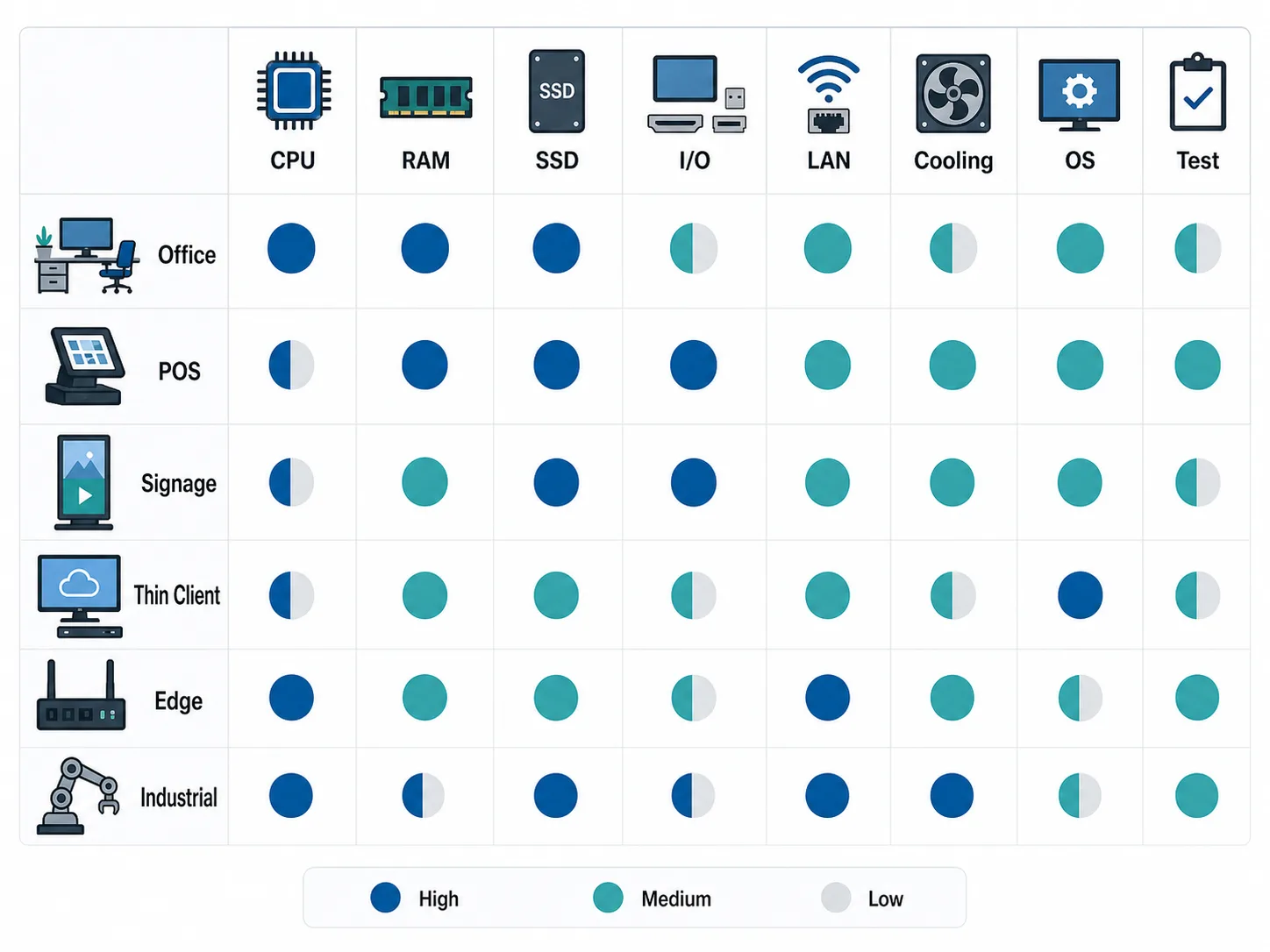
Different deployments need different ports, thermals, operating system setup, and approval tests.
Industrial Mini PC suppliers often emphasize durability, temperature range, mounting, and long-term reliability. That does not mean every business project needs an industrial model, but it does show why the use case should drive the specification rather than only the CPU tier.
Which Mini PC specifications should go into the RFQ
A good RFQ gives the supplier enough information to choose or confirm the right platform. A vague RFQ creates hidden risk because the supplier has to guess what matters.
Include these details:
| RFQ item | Why it matters |
|---|---|
| Quantity | Affects MOQ, pricing, production schedule, and component planning |
| Target market | Affects plug type, labels, documents, packaging language, and compliance discussion |
| Use case | Helps the supplier prioritize CPU, ports, thermal design, mounting, and OS setup |
| CPU/RAM/SSD | Defines the performance baseline and cost range |
| I/O ports | Prevents wrong HDMI/DP/USB/LAN configuration in the sample |
| Network | Wi-Fi, Bluetooth, LAN speed, dual LAN, or wired-only requirements |
| Display needs | Number of displays, output type, resolution expectation |
| OS image | Windows/Linux, language, input layout, drivers, recovery, preinstalled software |
| Branding | Logo, label, BIOS/boot logo, packaging, carton, user materials |
| Power adapter | Plug type, certification expectation, spare adapter requirement |
| Documents | CE/FCC/RoHS or other documents to confirm by selected model and market |
| Timeline | Sample deadline, target production date, delivery terms |
If you are comparing multiple suppliers, use the same RFQ structure for each one. This makes quotes easier to compare and reduces the chance that a low quote excludes tooling, packaging, documents, or software setup.
What can usually be customized, and what depends on the platform
Customization is not a single yes/no question. A Mini PC project has several layers.
Usually easier to discuss:
- RAM and SSD capacity within platform limits.
- Wi-Fi/Bluetooth module options when supported.
- Logo and label.
- Packaging and carton marks.
- Power adapter plug type.
- Windows language/input configuration.
- Driver and basic software pre-installation.
- BIOS or boot-screen logo when supported by the selected platform.
More platform-dependent:
- CPU generation.
- Motherboard layout.
- Port arrangement.
- Cooling design.
- Chassis tooling.
- Dual LAN or serial port support.
- Fanless design.
- Long lifecycle component supply.
- Special environmental requirements.
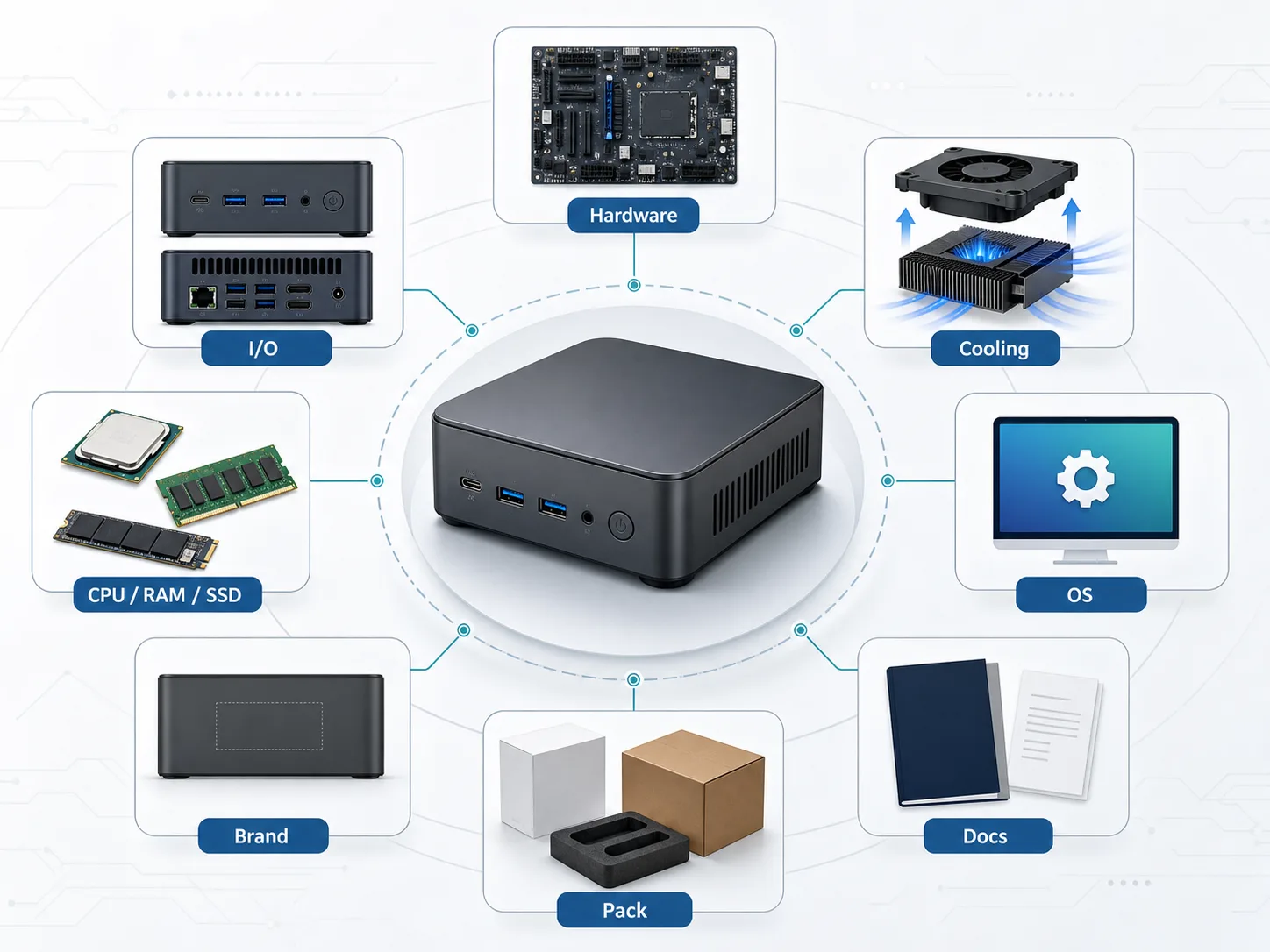
Not every layer is equally flexible. Buyers should separate platform-dependent hardware from configurable branding, packaging, and software requirements.
For OS setup, keep language, keyboard/input behavior, and OEM deployment as separate topics. Microsoft documents Windows language packs, keyboard/input layout settings, and OEM deployment of Windows desktop editions as distinct areas. A buyer should define the expected image and test it on the sample instead of assuming that one language setting proves the whole deployment is ready.
Sample approval checklist before bulk production
The sample is not only a demo unit. It is the buyer's best chance to prevent the same mistake from repeating across the bulk order.
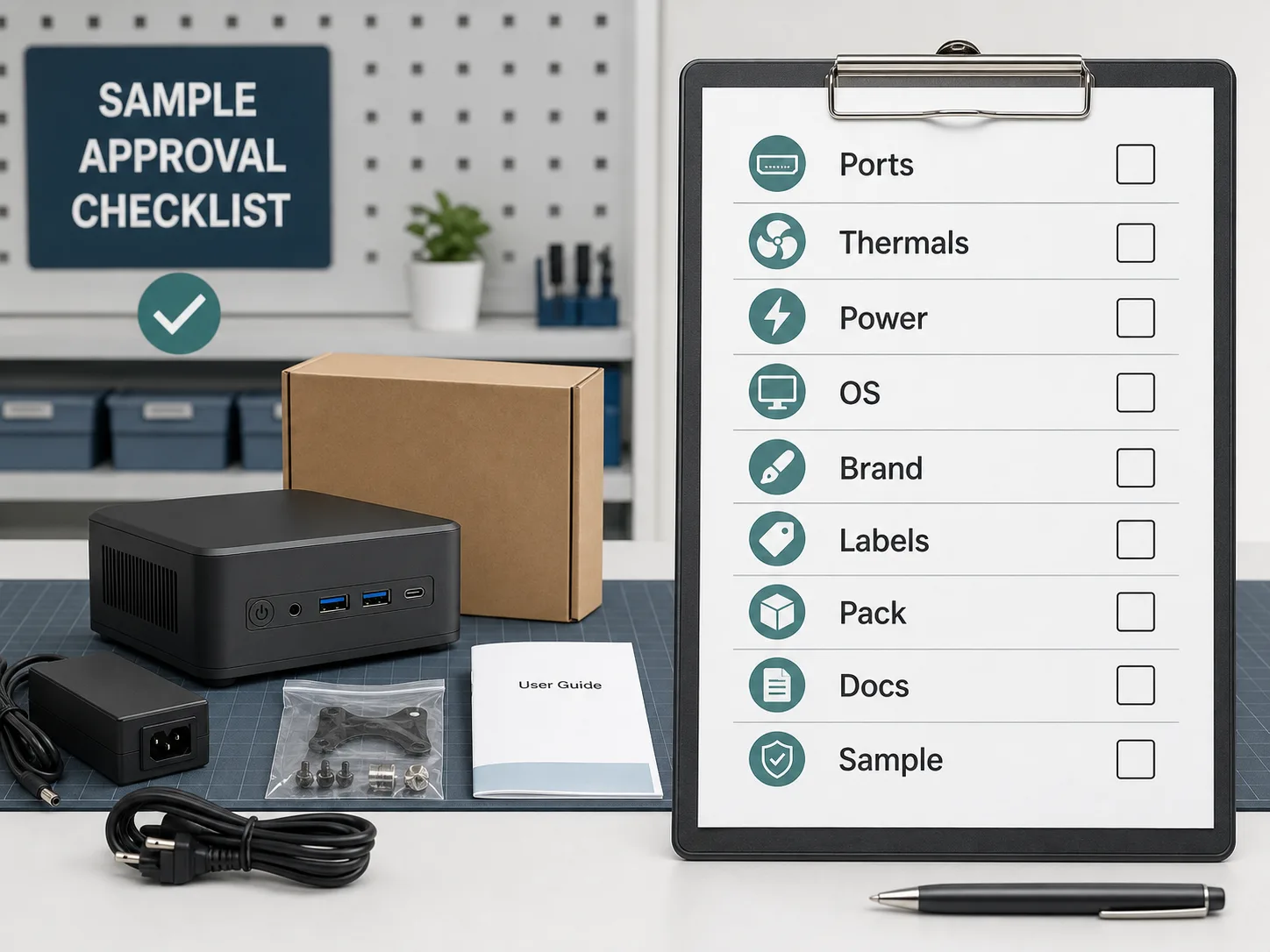
The sample should be treated as a production approval tool, not only a performance demo.
Before approving production, check:
| Checkpoint | What to verify |
|---|---|
| Hardware identity | CPU, RAM, SSD, Wi-Fi, LAN, motherboard/platform, BIOS version |
| I/O | Every port required in the RFQ exists and works with target peripherals |
| Display | Correct output ports, display count, and resolution behavior |
| Thermals | Fan noise, surface temperature, throttling signs, deployment environment |
| Power | Adapter plug, voltage range, label, spare adapter expectation |
| OS image | Language, input layout, drivers, activation/licensing plan, recovery behavior |
| Branding | Logo, label, BIOS/boot logo, package design, carton mark |
| Accessories | Power cable, bracket, screws, manual, barcode, packing layout |
| Documents | Confirm what can be provided for the selected model and market |
| Golden sample | Keep the approved sample/specification as reference for production |
Do not approve mass production from chat screenshots alone. Confirm the sample against the RFQ and keep a signed or written approval record.
Branding, packaging, OS image, and labels
Private-label buyers often focus on the product logo first, but packaging and labels can create just as many operational problems.
Confirm:
- Product logo position and method.
- Product label content.
- Serial number or barcode needs.
- Retail box or neutral carton.
- User manual language.
- Carton mark and pallet requirement.
- Power adapter label.
- OS language and input settings.
- BIOS or boot-screen logo availability.
- Who provides licensed software or proprietary installers.
For private-label projects, ask the supplier what can be handled at the factory and what must be handled by the buyer after import. This is especially important for OS licensing, region-specific software, marketplace labels, warranty cards, and local documentation.
Compliance documents and export boundaries
Compliance should be confirmed by model, configuration, and destination market. Do not assume every Mini PC SKU automatically has every document ready for every buyer.
AIERXUAN's local brand facts support CE, FCC, and RoHS as product-level certification categories, and ISO 9001 and ISO 14001 as facility-level certifications. The safe procurement wording is:
Please confirm which documents are available for this selected Mini PC model, configuration, and destination market.
The supplier can discuss export documentation such as commercial invoice, packing list, certificate of origin, and product certification files when available. The importer or local distributor usually needs to confirm local customs clearance, final-market requirements, end-customer warranty process, and any local registration or marketplace documentation.
MOQ, samples, lead time, and quote inputs
AIERXUAN's current brand facts support:
- MOQ from 100 units for most projects.
- Samples available from 1-10 units for testing and evaluation.
- Sample lead time typically 7-15 days after specification confirmation.
- Standard production typically 15-25 days after sample approval and final specification confirmation.
- Large orders may require 25-45 days depending on model, quantity, components, and customization.
These numbers should still be confirmed for the selected Mini PC platform. A project with special packaging, uncommon ports, constrained components, or additional document requirements may need a different plan.
To get a useful quote, provide:
| Quote input | Example |
|---|---|
| Quantity | 100, 300, 500, 1000 units |
| Configuration | CPU, RAM, SSD, Wi-Fi/LAN, OS |
| Customization | Logo, label, BIOS logo, packaging, carton |
| Market | Destination country or region |
| Documents | CE/FCC/RoHS or other document expectations |
| Timeline | Sample deadline and target bulk delivery |
| Trade terms | EXW, FOB, CIF, DDP if separately discussed |
Avoid asking for "best price" before defining the configuration. The lowest number may exclude the exact hardware, accessories, packaging, or document support you need.
Buyer vs supplier responsibility split
A smooth Mini PC project needs a clear responsibility split before sampling.
| Topic | Supplier should clarify | Buyer should clarify |
|---|---|---|
| Hardware | Platform, configuration, sample, production match | Target use case, required ports, quantity |
| Branding | What logo, label, packaging, and BIOS options are possible | Final artwork, label content, local language needs |
| OS image | Factory-supported image and driver scope | License, local software, corporate image policy |
| Documents | Available product and export documents | Destination-market requirements and importer obligations |
| Logistics | Packing, shipment terms, export paperwork | Importer, customs broker, local taxes/duties |
| Warranty | Factory warranty scope and RMA communication | Local end-customer handling, spare units, service policy |
This split protects both sides. The supplier avoids promising local services it cannot control, and the buyer avoids discovering local requirements after the goods are already produced.
Mini PC RFQ checklist
Use this checklist before asking for a custom Mini PC quote:
- Buyer role: distributor, importer, reseller, system integrator, private-label brand.
- Destination market and plug type.
- Use case and deployment environment.
- Quantity for sample and bulk order.
- CPU/RAM/SSD target or performance requirement.
- Required ports and display outputs.
- Wi-Fi, Bluetooth, LAN, dual LAN, or wired-only requirement.
- Mounting, chassis, fan/noise, or thermal expectations.
- Windows/Linux image requirement.
- Language and keyboard/input behavior.
- Logo, label, BIOS/boot logo, packaging, carton mark.
- Accessory list.
- Required documents to confirm by model.
- Sample approval criteria.
- Target sample date and production timeline.
- Trade terms and shipment destination.
- Warranty and support responsibility split.
If the supplier cannot answer every item immediately, that is normal. The goal is to make unknowns visible before the sample, not after the bulk order is produced.
Why source custom Mini PCs from AIERXUAN
AIERXUAN is a Shenzhen-based OEM/ODM laptop and Mini PC manufacturer founded in 2014. The company has shipped 500,000+ units to customers in 50+ countries and supports configurable computing products for global partners.
For a custom Mini PC project, AIERXUAN can help upstream buyers discuss:
- Mini PC platform and configuration options.
- Sample units for testing and approval.
- MOQ and production planning.
- Logo, label, packaging, and private-label needs.
- OS image and software pre-installation discussion.
- Product-level document confirmation by model and market.
- RFQ review before sample production.
To start, send your target use case, quantity, configuration, destination market, branding requirements, and document expectations. AIERXUAN can then respond with practical options for sample approval and bulk production planning.
FAQ
Can a custom Mini PC supplier change the CPU, RAM, SSD, ports, and case?
RAM and SSD are often more flexible than CPU, motherboard layout, port arrangement, chassis tooling, and cooling design. The exact scope depends on the selected platform. Ask the supplier to separate fixed platform items from configurable items.
What MOQ should I expect for a Mini PC OEM/ODM order?
AIERXUAN's standard MOQ starts from 100 units for most projects, with samples available from 1-10 units for testing and evaluation. Confirm the MOQ for the selected model and customization scope.
What should I test on the sample before approving production?
Check hardware configuration, I/O ports, display outputs, thermal behavior, power adapter, OS image, language/input settings, driver behavior, logo, label, packaging, accessories, and document availability.
Can I request my brand logo, packaging, and BIOS boot logo?
Logo, label, packaging, and some software or boot-screen branding can be discussed, but availability depends on the selected platform and project scope. Include these requirements in the RFQ before sampling.
Can the supplier preinstall Windows or Linux?
The supplier can discuss OS image and software pre-installation, but licensing, language/input settings, recovery behavior, and buyer-provided software should be confirmed in writing and tested on the sample.
Are CE, FCC, and RoHS documents available for every Mini PC?
Do not assume universal coverage. Documents should be confirmed by selected model, configuration, and destination market.
Who handles local customs clearance and end-customer warranty?
The importer, distributor, or local service partner usually needs to define local customs clearance and end-customer support. The supplier should clarify factory warranty scope, export documents, and RMA communication, but local responsibilities should be agreed separately.
How should I compare retail Mini PC brands with an OEM/ODM supplier?
Retail brands are useful for understanding performance and market expectations. An OEM/ODM supplier should be evaluated by repeatable supply, sample approval, customization scope, MOQ, document support, packaging, and responsibility split.
Request A Custom Mini PC Quote
Prepare your RFQ with the checklist above and contact AIERXUAN through the OEM/ODM manufacturing page or browse the current product categories. A clear RFQ helps the supplier recommend a realistic platform, sample plan, and production path without guessing your market requirements.

Bowen Yang
Sales Manager at AIERXUAN
Bowen works with overseas distributors, education buyers, and private-label hardware teams on laptop and Mini PC sourcing. He focuses on practical OEM/ODM requirements, sample confirmation, lead time, configuration options, and factory-direct communication.
View Author Profile →