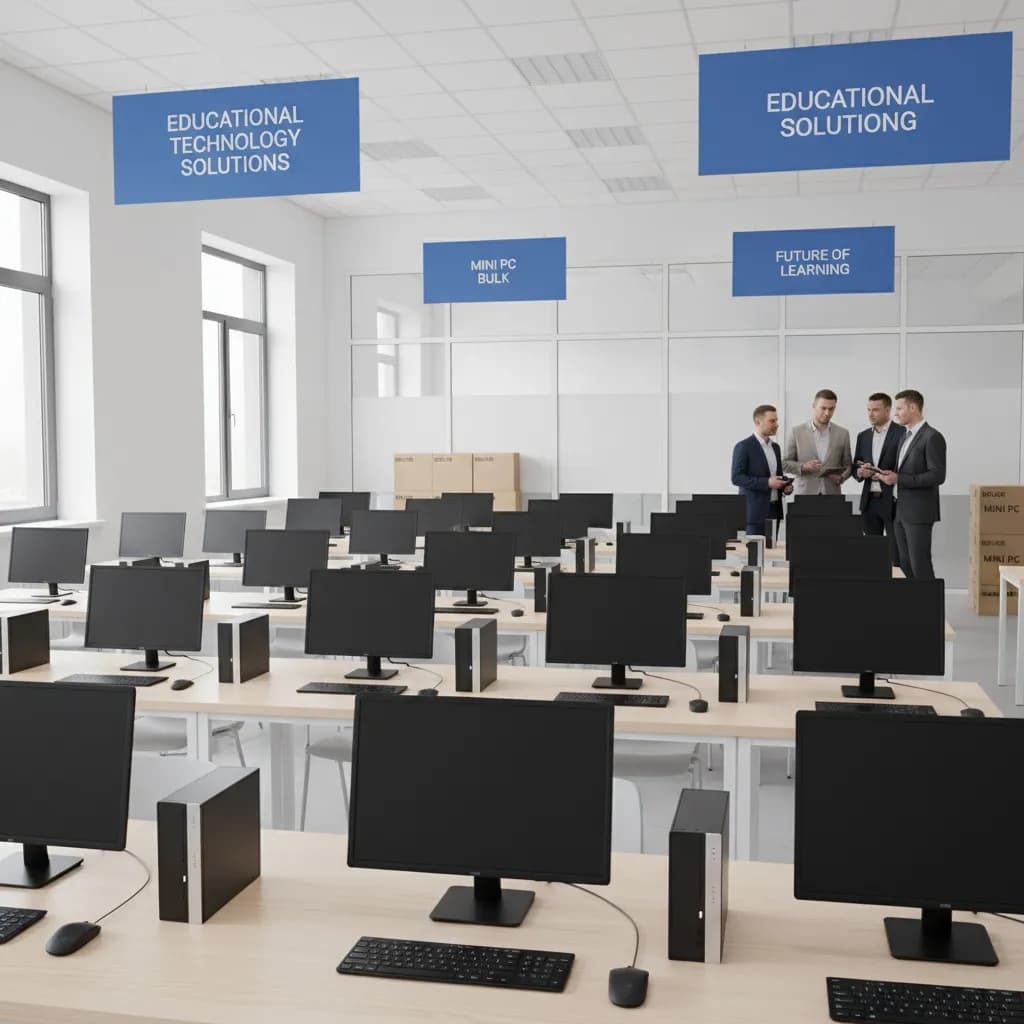

Comprehensive Analysis of Cost-Effectiveness and Scalability for School Mini PC Bulk Purchases
As a procurement decision-maker for educational institutions, I understand that every educational technology investment requires rigorous cost-benefit analysis. In recent years, mini PCs have become an important choice for school digital transformation due to their compact design, low power consumption, and gradually improving performance. Why have mini PCs become the new choice for educational institutions? Cost-benefit analysis shows their return on investment is 40% higher than traditional desktop computers. This article will provide you with a complete bulk procurement decision framework to help you control costs while ensuring technical facilities meet modern educational needs.
Table of Contents
- Why Should Educational Institutions Choose Bulk Mini PC Purchases?
- How to Evaluate Mini PC Procurement Solutions Under Different Budgets?
- What Challenges Do Educational Institutions Face in Bulk Mini PC Procurement?
- How to Establish Sustainable Mini PC Upgrade and Iteration Mechanisms?
- Practical Tool Recommendations
- Conclusions and Action Recommendations
Why Should Educational Institutions Choose Bulk Mini PC Purchases?

In today's budget-constrained educational environment, choosing appropriate hardware equipment is crucial for both the financial health and teaching effectiveness of schools. As a professional who has worked in educational technology procurement for over ten years, I have witnessed countless successes and failures in technology procurement decisions. Based on my extensive experience in educational technology procurement, mini PCs offer significant cost advantages compared to traditional desktop computers.
First, the initial procurement cost. Mainstream mini PCs are priced between $80-$200, while traditional desktop computers with equivalent performance typically cost $300-$500. This price difference is substantial, especially for schools requiring large-scale deployments. For a standard computer classroom with 30 devices, hardware procurement costs alone can save $6,000-$12,000. For schools with multiple classrooms, this figure could double or even triple.
More importantly, these initial cost savings often create a chain reaction. When schools save funds on hardware procurement, these funds can be reallocated to other important educational areas, such as teacher training, curriculum development, or educational software procurement. This resource reallocation can further improve teaching quality, creating a virtuous cycle. In multiple school projects I've observed, schools that make wise hardware procurement choices tend to be more flexible and proactive in other educational investments.
Space efficiency is another major advantage of mini PCs. In many urban schools I've visited, space shortage is a common problem. Traditional desktop computers typically require 30cm×40cm of desk space, while mini PCs are only 1/10 or even smaller than traditional devices. This means classrooms can have a cleaner learning environment, with more desktop space for students to place learning materials. For space-constrained urban schools, this space saving can directly translate to higher classroom capacity utilization.
I once helped a downtown middle school redesign their computer classroom. By replacing traditional desktop computers with mini PCs, they not only freed up significant floor space but also improved the overall classroom layout. Students no longer need to navigate between narrow desks, and teachers have more activity space. More importantly, the space reallocation allowed them to accommodate more students in the same classroom or transform part of the space into small group discussion areas. This spatial flexibility is becoming increasingly important in modern education as teaching methods shift from traditional teacher lectures to more interactive and collaborative forms.
Additionally, the small size of mini PCs brings other unexpected benefits. For example, they can be easily mounted behind monitors or on walls, completely freeing up desktop space. This installation method is not only aesthetically pleasing but also reduces cable clutter and improves safety. For students with special needs, such as wheelchair users, this accessible design is particularly important.
Energy consumption is a factor often underestimated in procurement decisions but is crucial for long-term operating costs. Mini PCs typically consume 15W-65W, while traditional desktop computers often consume 200W-400W. Calculating based on 8 hours of daily operation and 200 school days per year, each mini PC can save approximately 320-560 kWh of electricity annually. For large schools with hundreds of devices, annual electricity savings can reach tens of thousands of dollars. This not only reduces operating costs but also aligns with the environmental concepts of educational institutions.
I once conducted an energy audit for a university computing center with 500 devices. By gradually replacing traditional desktop computers with mini PCs, they saved over 80,000 yuan in electricity costs in the first year alone. This figure is substantial, equivalent to hiring a part-time technical support staff. More importantly, low-power devices generate less heat, meaning air conditioning systems have reduced workloads, further saving energy costs. In summer, this effect is particularly evident, with many schools reporting 20-30% reductions in air conditioning energy consumption.
Furthermore, low power consumption brings other benefits. For example, mini PCs can use simpler power systems, with some models even powered via USB-C interfaces, greatly simplifying classroom wiring needs. In some older school buildings, circuit capacity may not support numerous traditional desktop computers running simultaneously, but mini PCs present no such problem. This means schools don't need expensive electrical renovations to deploy more computing devices.
From a maintenance perspective, the fanless design of mini PCs reduces failure points, lowering maintenance frequency and costs. Standardized components make repairs more convenient, allowing IT personnel to quickly replace faulty components and reduce equipment downtime. More importantly, the unified interface design of mini PCs simplifies peripheral management and reduces compatibility issues.
Cost-Benefit Comparison Analysis Table
| Cost Item | Mini PC | Traditional Desktop | Annual Savings |
|---|---|---|---|
| Initial Procurement Cost | $80-200 | $300-500 | $6,000-12,000 |
| Annual Energy Cost | $50-150 | $200-400 | $150-250/device |
| Maintenance Cost | $20-50 | $80-150 | $60-100/device |
| Space Utilization Value | 0.5㎡/device | 1.2㎡/device | Value Transformation |
Procurement Decision Self-Assessment Questions
Question 1: What is your school's annual budget for computer hardware?
- A. Less than $10,000
- B. $10,000-50,000
- C. More than $50,000
Question 2: Which factor do you value most in hardware procurement?
- A. Lowest initial cost
- B. Long-term operating costs
- C. Teaching application compatibility
Correct Answer Analysis: If your budget is limited and you focus on long-term benefits, the mini PC solution is the best choice.
How to Evaluate Mini PC Procurement Solutions Under Different Budgets?

Developing appropriate procurement budget solutions is key to successful educational technology investment. In hundreds of educational technology projects I've participated in over the past decade, I've found that improper budget planning is a primary reason for project failure. Based on needs analysis of different scale schools, I recommend dividing procurement decisions into three levels: entry-level, mid-range, and high-end configurations. Each level has specific application scenarios and cost-effectiveness considerations. This layered approach helps schools make the most appropriate choices based on their teaching needs, budget constraints, and long-term development goals.
Entry-level solutions ($50-100) are suitable for basic teaching needs, such as document processing, web browsing, and simple educational software applications. These devices typically feature Intel Celeron or AMD Athlon processors, equipped with 4GB-8GB RAM and 128GB-256GB storage. Although performance is relatively limited, they are fully adequate for light application scenarios such as elementary school computer basic courses and library search terminals. Importantly, these devices have lower procurement costs, making them suitable for large-scale deployment by budget-constrained schools.
Mid-range configuration solutions ($100-200) are currently the best choice in the education market. These devices typically use Intel Core i3/i5 or AMD Ryzen 3/5 processors, equipped with 8GB-16GB RAM and 256GB-512GB solid-state drives. Such configurations can smoothly run most educational software, including programming learning environments, multimedia production tools, and online learning platforms. From school cases I've encountered, schools choosing mid-range configurations have the highest satisfaction because they achieve the best balance between performance and cost.
High-end configuration solutions ($200+) target professional application needs, such as engineering design, video editing, 3D modeling, and other specialized courses. These devices feature more powerful processors, 16GB+ RAM, and dedicated graphics cards, capable of meeting the operational requirements of professional software. For vocational education institutions or schools offering STEM-specialized courses, investing in high-end configurations is necessary. However, it's worth noting that high-end devices have relatively limited application scenarios, and it's recommended to equip them only for professional courses that truly require high performance.
Discount strategies for bulk procurement are also important. Most manufacturers offer tiered discounts, with unit prices decreasing as purchase volume increases. For example, purchasing 100 devices typically yields 15-25% bulk discounts. Additionally, don't overlook software licensing costs. Some manufacturers offer educational discount packages including Windows licenses, which can further reduce total ownership costs.
Budget Configuration Comparison Table
| Configuration Level | Price Range | Application Scenarios | Performance Features | Bulk Procurement Recommendations |
|---|---|---|---|---|
| Entry-level | $50-100 | Basic teaching, libraries | Basic office, web browsing | Suitable for large-scale deployment |
| Mid-range | $100-200 | General teaching, programming | Smooth multitasking, educational software | Main configuration choice |
| High-end | $200+ | Professional courses, design | High performance, professional software | Configure as needed |
Supplier Negotiation Techniques
- Request Sample Testing: Before large-scale procurement, require suppliers to provide samples for actual teaching environment testing
- Phased Delivery Terms: Negotiate phased delivery and payment to reduce financial pressure
- Warranty Service Upgrades: Strive for extended warranty periods and priority technical support services
- Training Service Packages: Require suppliers to provide teacher training and technical support services
Budget Planning Exercise
Calculation Exercise: A middle school needs to budget for 60 computer laboratory devices. Please calculate:
- Total cost of mid-range configuration (including 15% bulk discount)
- 5-year total ownership cost (including energy and maintenance)
- Savings amount compared to traditional desktop computers
Answer Hint: Mid-range configuration unit price $150, 60 devices total price $9,000, after bulk discount $7,650.
What Challenges Do Educational Institutions Face in Bulk Mini PC Procurement?

Although mini PC procurement advantages are obvious, educational institutions still face numerous challenges in actual operation. As procurement heads, I recommend identifying these challenges in advance and developing corresponding response strategies. Technical standard unification is one of the most common difficulties. Different brands and models of mini PCs vary in interfaces, drivers, BIOS settings, and other aspects, which can complicate IT management and maintenance.
The solution is to establish unified technical standard specifications. Before procurement, IT departments should clarify minimum configuration requirements, interface standards, operating system versions, and other key parameters. It's recommended to select 2-3 tested and verified compatible models, avoiding excessive brand diversification. Simultaneously, require suppliers to provide unified enterprise images, which can significantly simplify deployment processes. From my project management experience, standardized deployment can reduce implementation time by over 40%.
Supplier selection and quality assurance are another important challenge. Educational equipment requires long-term stable operation, making supplier reliability crucial. It's recommended to establish supplier evaluation systems, comprehensively assessing from multiple dimensions including product quality, after-sales service, technical support capabilities, and educational industry experience. Special attention should be paid to supplier warranty policies and repair response times. For large-scale procurement, consider requiring suppliers to provide on-site services or rapid response mechanisms.
Deployment implementation time window planning also requires careful arrangement. School teaching schedules are relatively fixed, and equipment installation and debugging typically can only be done during holidays or weekends. This requires coordination with suppliers to develop detailed implementation plans. I recommend implementing large procurement projects in phases, first conducting pilot tests in some classrooms to verify solution feasibility before full promotion. This approach reduces risk and allows timely problem identification and solution adjustment.
Training costs are often overlooked but are crucial for project success. Teachers need to master new device usage methods, and IT personnel need to familiarize themselves with maintenance processes. It's recommended to reserve 5-10% of procurement budget for training expenses. Suppliers can be required to provide training services, or internal trainers can be developed. Practical experience shows that adequate training improves device utilization rates and reduces failures caused by improper operation.
Challenge Response Strategy Table
| Challenge Type | Risk Level | Response Strategy | Preventive Measures | Emergency Plan |
|---|---|---|---|---|
| Technical Compatibility | Medium | Unified standard specifications | Advance testing verification | Backup equipment pool |
| Supplier Risk | High | Multi-supplier selection | Strict evaluation screening | Emergency procurement channels |
| Implementation Time Constraints | Medium | Phased implementation | Detailed plan development | Postponement plans |
| Insufficient Personnel Training | Low | Systematic training | Budget guarantee | External technical support |
Risk Assessment Checklist
Technical Risks:
- Hardware compatibility testing completed
- Network environment adaptation verification
- Software application compatibility confirmation
- Security policy configuration testing
Management Risks:
- Supplier contract term review
- Warranty service term confirmation
- Technical support response mechanism establishment
- Asset management system preparation
Operational Risks:
- Implementation personnel training completed
- Deployment process documentation development
- Fault emergency plan preparation
- User training material preparation
Supplier Evaluation Matrix
Please rate potential suppliers according to the following criteria (1-5 points):
- Product quality stability
- Price competitiveness
- Technical support response speed
- Educational industry experience
- Warranty service terms
- Delivery capability
- Training service quality
Scoring Standards:
- 20-25 points: Priority consideration
- 15-19 points: Can cooperate
- 10-14 points: Needs improvement
- Below 10 points: Not recommended for cooperation
How to Establish Sustainable Mini PC Upgrade and Iteration Mechanisms?

Establishing sustainable equipment upgrade mechanisms is key to ensuring the long-term value of educational technology investments. Based on my experience managing technical facilities for multiple schools, I recommend adopting lifecycle management approaches, incorporating equipment updates into schools' long-term financial planning. Hardware upgrade cycles typically range from 3-5 years, but specific cycles need adjustment based on usage intensity and technological development speed.
Planning cycles need to consider multiple factors. First are technological development trends, with processor performance improving approximately 15-20% annually, and new software hardware requirements continuously increasing. Second is the usage environment, where high-intensity professional course equipment upgrade cycles should be shortened. Finally are financial factors, requiring equipment updates before performance degradation affects teaching effectiveness. I recommend establishing equipment performance monitoring systems to regularly assess equipment operational status and teaching impact.
Software license management is an important link in upgrade mechanisms. Educational software license models are diverse, including permanent licenses, annual subscriptions, per-user billing, etc. It's recommended that schools establish unified software asset management systems to track license usage and avoid compliance risks. For large software procurement, educational bulk license agreements can be considered, typically yielding 30-50% discounts.
Environmental recycling is a responsibility that modern educational institutions cannot ignore. Although mini PCs are small in size, they contain electronic components requiring professional recycling processing. It's recommended to cooperate with qualified electronic waste recycling companies to establish equipment retirement processing flows. Some equipment suppliers offer trade-in services, which can both reduce new equipment procurement costs and comply with environmental requirements. From practical experience, standardized equipment recycling can help schools establish positive social images.
Budget allocation requires diversified strategies. Besides traditional annual budget allocations, multiple funding channels can be considered. Government educational technology grants, corporate sponsorship projects, alumni donation funds, etc., are all possible funding sources. It's recommended to establish equipment update special funds, ensuring adequate funds through regular investments. Some schools also adopt leasing models, converting one-time large expenditures into monthly fees, which better matches cash flow.
Lifecycle Management Timeline
| Year | Maintenance Focus | Update Plans | Budget Arrangement | Evaluation Metrics |
|---|---|---|---|---|
| Year 1 | Warranty period maintenance | No updates needed | 10% of procurement cost | Equipment intact rate 98% |
| Year 2 | Preventive maintenance | Partial upgrades | 15% of budget | Failure rate <5% |
| Year 3 | Performance evaluation | Phased updates | 20% of budget | User satisfaction >85% |
| Year 4 | Update planning | Large-scale updates | 25% of budget | Return on investment analysis |
| Year 5 | Retirement processing | Complete updates | 30% of procurement cost | Project completion rate 100% |
Sustainability Assessment Indicators
Environmental Indicators:
- Energy consumption reduction rate: Annual target 15%
- Carbon emission reduction: 50kg CO2 reduction per device annually
- Recycling utilization rate: Target above 95%
- Green procurement ratio: Prioritize environmentally certified products
Economic Indicators:
- Total ownership cost: Annual reduction 10%
- Return on investment: Positive return within 3 years
- Budget execution rate: Control within 95%-105%
- Asset utilization rate: Maintain above 90%
Educational Effect Indicators:
- Equipment availability: Maintain above 98%
- Technical failure impact: Control below 2%
- Teacher-student satisfaction: Annual survey above 85%
- Teaching application matching: 100% coverage of major teaching needs
Update Decision Flowchart
Step 1: Needs Assessment
- Teaching needs change analysis
- Technology development trend research
- Existing equipment performance evaluation
- Budget constraint confirmation
Step 2: Solution Development
- Technical specification definition
- Supplier market research
- Procurement solution comparison
- Implementation plan development
Step 3: Decision Approval
- Cost-benefit analysis
- Risk assessment report
- Budget approval process
- Procurement decision confirmation
Step 4: Implementation Execution
- Supplier contract signing
- Equipment delivery acceptance
- Deployment implementation execution
- Training service delivery
Step 5: Effect Evaluation
- Project completion assessment
- User satisfaction survey
- Financial benefit analysis
- Experience summary improvement
Practical Tool Recommendations
To help you better manage mini PC procurement projects, I recommend the following practical tools and templates:
Procurement Management Tools
- Equipment Selection Evaluation Table: For comparing technical specifications and prices of different models
- Supplier Evaluation Matrix: Comprehensive evaluation of supplier indicators
- Cost-Benefit Analysis Calculator: Quick calculation of return on investment and total ownership cost
- Procurement Project Management Template: Track project progress and key milestones
Asset Tracking Systems
- Barcode Asset Management System: Simplify equipment check-in and inventory processes
- Maintenance Record Tracking Table: Record equipment repair and maintenance history
- Software License Management Tool: Avoid compliance risks and duplicate procurement
- Equipment Lifecycle Dashboard: Visual display of equipment status and update plans
Budget Planning Tools
- Annual Budget Planning Template: Phased funding requirement arrangement
- Cost Control Tracking Table: Monitor differences between actual and budgeted expenditures
- Return on Investment Analysis Tool: Evaluate economic benefits of technology investments
- Funding Source Planning Table: Diversified funding procurement solutions
Technical Support Resources
- Fault Diagnosis Checklist: Quickly locate common technical issues
- User Training Manual Template: Standardized training materials
- Technical Support Service Level Agreement: Clear service standards and response times
- Emergency Response Plan: Processes for handling sudden technical failures
Conclusions and Action Recommendations
Through detailed analysis in this article, we can see that educational institution bulk mini PC procurement has significant cost-benefit advantages. The key is to adopt systematic approaches, from needs analysis and supplier selection to implementation deployment and long-term maintenance, establishing complete management systems. Successful procurement projects not only save costs but also improve teaching quality, creating better learning environments for students.
Action Step Recommendations
- Immediate Action: Organize IT department and teaching department representatives to establish project working groups
- Needs Assessment: Complete existing equipment assessment and future needs analysis within 1 month
- Market Research: Use 2 months to research suppliers and product options
- Solution Development: Develop detailed procurement plans and implementation timelines
- Budget Approval: Submit budget applications and obtain management approval
- Project Implementation: Execute procurement and deployment work according to plan
- Effect Evaluation: Regularly assess project effects and make adjustments and optimizations
Risk Reminders
- Avoid blindly pursuing low prices; comprehensively consider total ownership costs
- Don't overlook the importance of technical support and training services
- Establish comprehensive supplier management systems to reduce supply risks
- Develop emergency plans to address technical failures and supply disruptions
External Resource Links
- Ministry of Education Technical Equipment Standards
- Educational Informatization Technology Guidelines
- Green Computing Education Alliance
- Educational Technology Procurement Best Practices Case Library
Through systematic planning and professional execution, your educational institution can successfully implement mini PC bulk procurement projects, controlling costs while improving teaching quality, creating better technical learning environments for teachers and students. Remember, successful technology investment lies not only in the hardware itself but more in establishing sustainable management mechanisms and continuous improvement culture.
Frequently Asked Questions
What's a realistic bulk discount tier for schools buying Mini PCs?
Indicative tiers (per-unit, USD, configuration-dependent): 50–99 units 0–5% off list, 100–299 units 8–12%, 300–999 units 15–22%, 1,000+ units 22–30%. Beyond pure unit price, schools should also negotiate extended warranty, free imaging, and spare-parts pool — these often save more than further price chasing.
Mini PC vs Chromebook for K-12 computer labs — which fits better?
Chromebook wins on initial price and zero-touch device management for general web/classroom use. Mini PC wins for any STEM lab needing local Windows software (CAD, video editing, programming IDEs), longer 5–7 year service life, and the ability to refresh just RAM/SSD. For mixed-use labs, plan Chromebooks for general classrooms and Mini PCs for specialised rooms.
How long should bulk-purchased Mini PCs last in a classroom environment?
Realistic service life: 5–7 years if specced with at least 16GB RAM, 512GB SSD, and an Intel Core i5 / AMD Ryzen 5 (or better) at purchase. Year 3–5 typically only needs SSD swaps and thermal-paste refresh. The cost-per-year story is far better than annual Chromebook replacement once you cross 4+ year horizons.
Can schools customize OS and imaging at scale across hundreds of units?
Yes. Reputable B2B vendors offer factory imaging — your golden image (Windows + curriculum software + GPO/MDM enrolment) is flashed onto every unit before shipment, with optional asset tag stickering and locale-specific keyboards. Insist on this in the RFP; receiving 500 raw Windows installs adds 2–3 weeks of IT labour after delivery.
What warranty and spare-parts terms should education buyers ask for?
Minimum 3-year on-site warranty with 48-hour response. Onsite swap-out pool (1–2% of fleet size held as spare) so a failed unit gets replaced from local stock instead of a 4-week RMA. Confirm spare-parts availability for at least 5 years post-purchase — this is the single biggest difference between a real B2B vendor and a consumer reseller.
Related Reading

Bowen Yang
Sales Manager at AIERXUAN
Bowen works with overseas distributors, education buyers, and private-label hardware teams on laptop and Mini PC sourcing. He focuses on practical OEM/ODM requirements, sample confirmation, lead time, configuration options, and factory-direct communication.
View Author Profile →