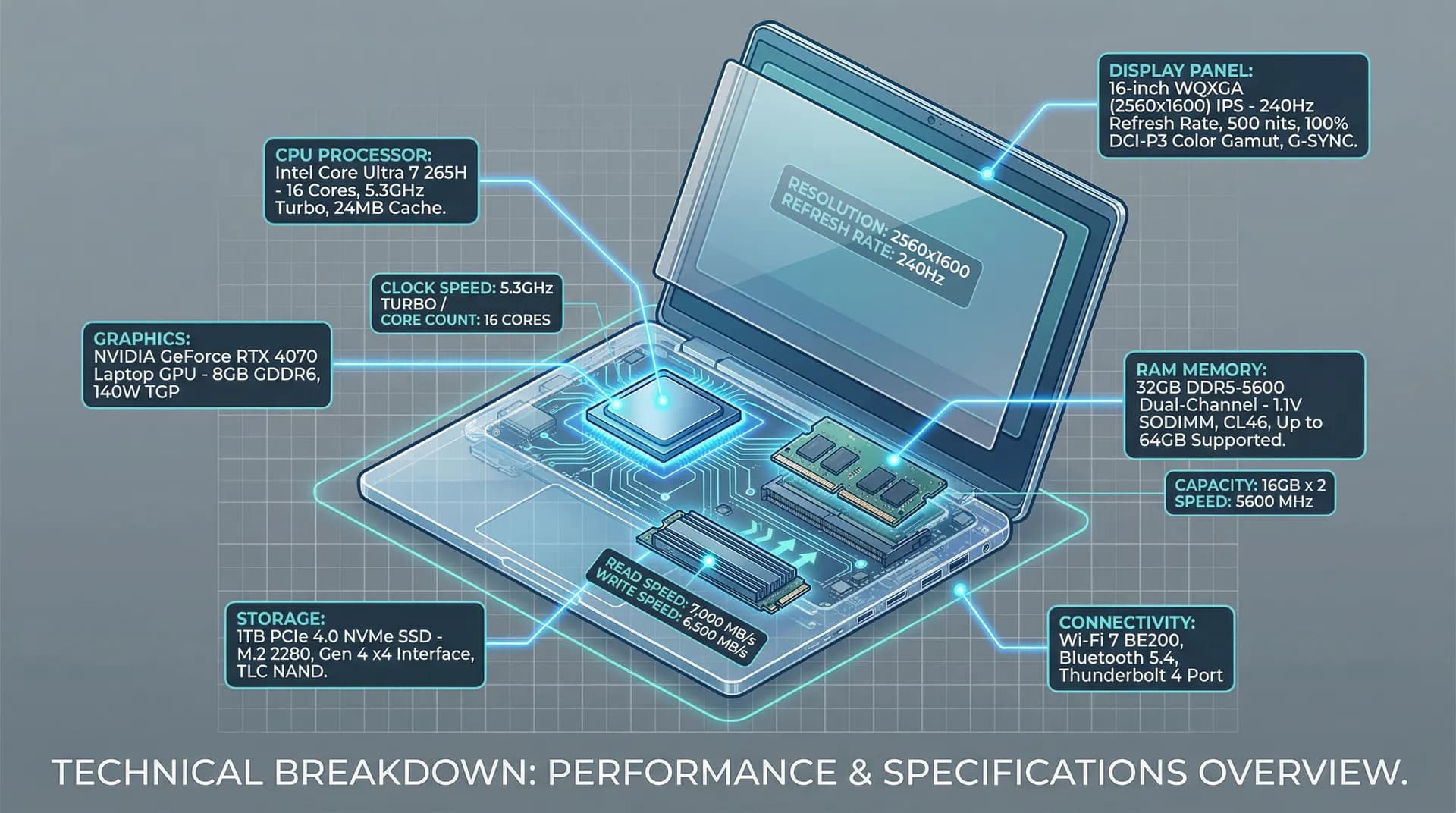
Understanding laptop specifications is the difference between a successful custom order and a $50,000 mistake. This technical reference guide breaks down every spec that matters.
Table of Contents
- How to Read Laptop Specifications
- CPU Specifications Decoded
- RAM Specifications Explained
- Storage Specifications Guide
- Display Specifications
- GPU Specifications
- Battery and Power Specifications
- Connectivity Specifications
- Specification Sheets: How to Read Them
- FAQ
How to Read Laptop Specifications
The Specification Hierarchy
Not all specs matter equally. Here's how to prioritize:
| Priority | Component | Why It Matters | Can Upgrade Later? |
|---|
| Critical | CPU | Determines overall performance ceiling | ❌ No |
| Critical | RAM Slots | Limits future expansion | ❌ No |
| High | Storage Interface | Affects speed potential | ❌ No |
| High | Display Panel | User experience daily | ❌ No |
| Medium | RAM Amount | Can often upgrade | ✅ Sometimes |
| Medium | Storage Capacity | Usually upgradeable | ✅ Yes |
| Lower | Battery | Replaceable in most models | ✅ Yes |
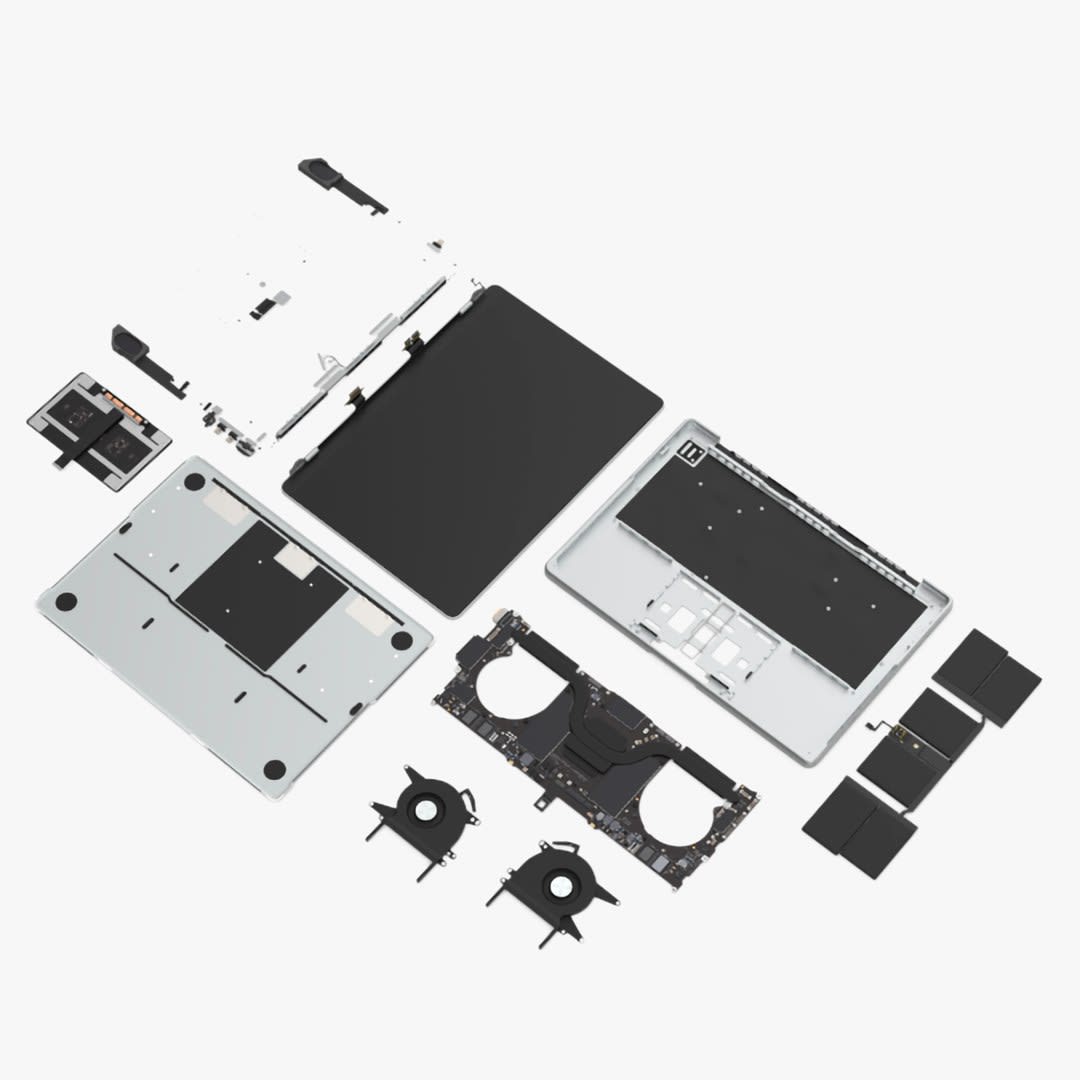
Specification Sheet Anatomy
A typical OEM specification sheet contains:
┌─────────────────────────────────────────────────────────────┐
│  MODEL: XYZ-15 Pro                                          │
├─────────────────────────────────────────────────────────────┤
│  PROCESSOR                                                  │
│  Intel Core Ultra 7 265H (16 cores, 22 threads)            │
│  Base: 1.9 GHz | Turbo: 5.3 GHz | Cache: 24MB | TDP: 28W   │
├─────────────────────────────────────────────────────────────┤
│  MEMORY                                                     │
│  32GB DDR5-5600 (2x16GB) | Max: 64GB | Slots: 2 SO-DIMM    │
├─────────────────────────────────────────────────────────────┤
│  STORAGE                                                    │
│  1TB PCIe 4.0 NVMe SSD | Slots: 2x M.2 2280                │
├─────────────────────────────────────────────────────────────┤
│  DISPLAY                                                    │
│  15.6" IPS FHD (1920x1080) | 144Hz | 300 nits | 100% sRGB  │
└─────────────────────────────────────────────────────────────┘
For the decision-making process on choosing specifications, see our Custom Laptop Builder Guide.
CPU Specifications Decoded
Understanding CPU Model Numbers
Intel Core Ultra (2025)
| Model Number | Meaning |
|---|
| Core Ultra 9 | Performance tier (9=highest, 3=lowest) |
| 285HX | Generation (2=2nd gen Core Ultra) |
| 285HX | SKU number (higher=faster) |
| 285HX | Suffix (see below) |
Intel Suffix Guide:
| Suffix | Meaning | TDP | Best For |
|---|
| HX | Extreme performance | 55-75W | Workstations, gaming |
| H | High performance | 28-45W | Performance laptops |
| U | Ultra-low power | 15-28W | Thin & light |
| V | Low power with NPU | 17W | AI-focused ultrabooks |
AMD Ryzen AI (2025)
| Model Number | Meaning |
|---|
| Ryzen AI 9 | Performance tier |
| 365 | Generation (3=Strix Point) |
| 365 | SKU number |
AMD Suffix Guide:
| Suffix | Meaning | TDP | Best For |
|---|
| HX | Extreme | 55W+ | Gaming, workstations |
| HS | High performance slim | 35-45W | Thin performance |
| U | Ultra-thin | 15-28W | Ultrabooks |
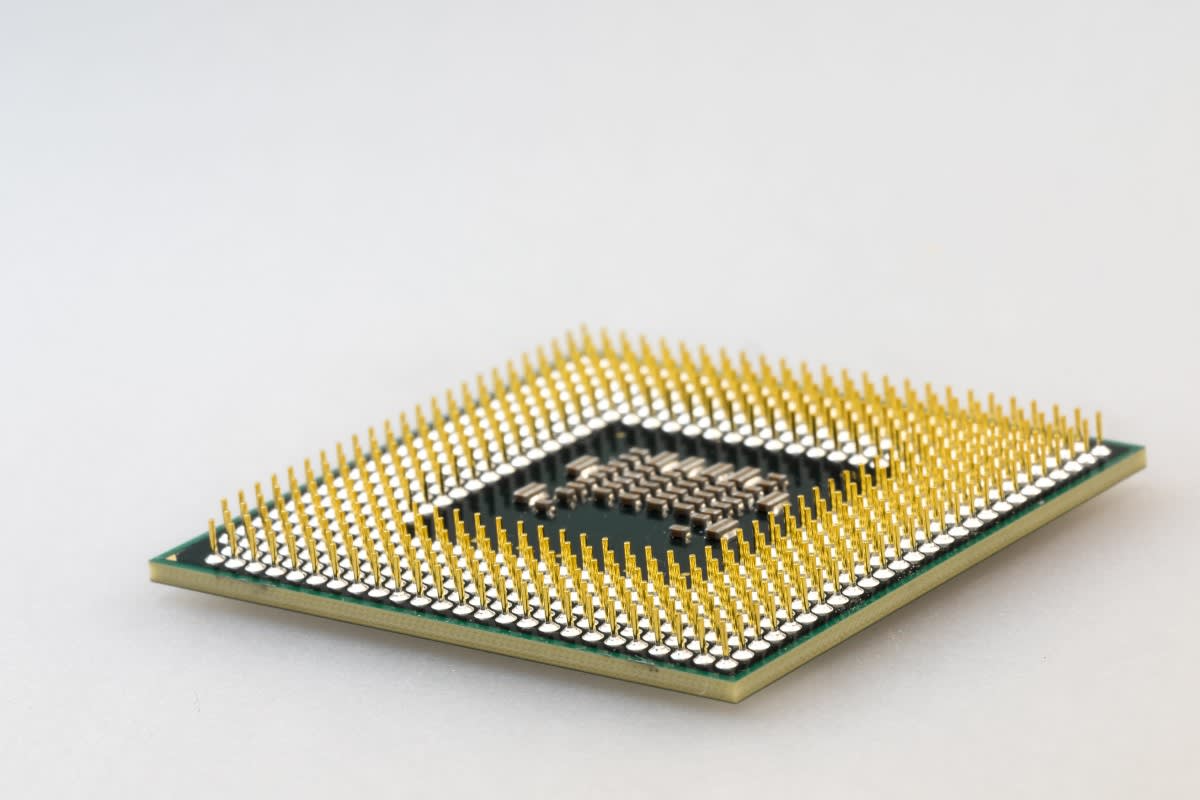
CPU Specification Deep Dive
| Specification | What It Means | Why It Matters |
|---|
| Cores | Physical processing units | More cores = better multitasking |
| Threads | Virtual processing units | Hyper-threading doubles effective cores |
| Base Clock | Guaranteed minimum speed | Sustained workload performance |
| Turbo Clock | Maximum burst speed | Peak single-thread performance |
| Cache | On-chip memory | Faster data access, affects responsiveness |
| TDP | Thermal Design Power | Heat output, battery impact |
| NPU TOPS | AI processing capability | Local AI tasks, Windows Copilot |
CPU Comparison: 2025 Laptop Processors
| Processor | Cores/Threads | Base/Turbo | TDP | NPU | Cinebench R24 Multi |
|---|
| Intel Core Ultra 9 285HX | 24/24 | 2.5/5.5 GHz | 55W | 13 TOPS | ~1,800 |
| Intel Core Ultra 7 265H | 16/22 | 1.9/5.3 GHz | 28W | 13 TOPS | ~1,200 |
| Intel Core Ultra 5 225V | 8/8 | 1.7/4.3 GHz | 17W | 40 TOPS | ~650 |
| AMD Ryzen AI 9 HX 370 | 12/24 | 2.0/5.1 GHz | 28W | 50 TOPS | ~1,350 |
| AMD Ryzen AI 7 360 | 8/16 | 2.0/5.0 GHz | 28W | 50 TOPS | ~1,100 |
| AMD Ryzen AI 5 340 | 6/12 | 2.0/4.8 GHz | 28W | 50 TOPS | ~850 |
CPU Selection by Workload
| Workload | Minimum | Recommended | Overkill |
|---|
| Office/Web | Core Ultra 5 225V | Core Ultra 5 235U | Core Ultra 7+ |
| Software Development | Core Ultra 5 235U | Core Ultra 7 265H | Core Ultra 9 |
| Video Editing (1080p) | Core Ultra 5 235U | Core Ultra 7 265H | Core Ultra 9 285HX |
| Video Editing (4K) | Core Ultra 7 265H | Core Ultra 9 285HX | - |
| 3D Rendering | Core Ultra 7 265H | Core Ultra 9 285HX | - |
| Gaming | Core Ultra 5 235H | Core Ultra 7 265H | Core Ultra 9 285HX |
RAM Specifications Explained
RAM Specification Breakdown
| Specification | Example | Meaning |
|---|
| Type | DDR5 | Generation (DDR5 > DDR4) |
| Speed | 5600 MHz | Data transfer rate |
| Capacity | 32GB | Total memory size |
| Configuration | 2x16GB | Number and size of modules |
| Channels | Dual-channel | Memory bandwidth mode |
| Latency | CL40 | Access delay (lower = faster) |
DDR5 vs DDR4 Comparison
| Specification | DDR4 | DDR5 |
|---|
| Speed Range | 2133-3200 MHz | 4800-8400 MHz |
| Voltage | 1.2V | 1.1V |
| Max Module Size | 32GB | 128GB |
| Bandwidth | Up to 25.6 GB/s | Up to 67.2 GB/s |
| On-Die ECC | No | Yes |
| 2025 Status | Legacy | Standard |
RAM Speed Impact on Performance
| RAM Speed | Relative Performance | Best Paired With |
|---|
| DDR5-4800 | Baseline (100%) | Budget systems |
| DDR5-5200 | +3-5% | Entry-level |
| DDR5-5600 | +5-8% | Mainstream |
| DDR5-6000 | +8-12% | Performance |
| DDR5-6400 | +10-15% | High-end |
Note: Real-world impact varies. CPU-bound tasks see minimal benefit; memory-intensive workloads (video editing, large datasets) see significant gains.
Single vs Dual Channel Memory
| Configuration | Bandwidth | Performance Impact |
|---|
| Single Channel (1x16GB) | 51.2 GB/s | Baseline |
| Dual Channel (2x8GB) | 102.4 GB/s | +15-30% in memory-bound tasks |
Critical: Always specify dual-channel configuration for custom orders. Single-channel significantly impacts:
- Gaming: -10 to -25% FPS
- Video editing: -15 to -20% render time
- General responsiveness: Noticeably slower
RAM Capacity Guidelines
| Use Case | Minimum | Recommended | Future-Proof |
|---|
| Basic Office | 8GB | 16GB | 16GB |
| Business Professional | 16GB | 16GB | 32GB |
| Software Development | 16GB | 32GB | 64GB |
| Video Editing | 32GB | 64GB | 128GB |
| 3D/CAD Work | 32GB | 64GB | 128GB |
| Gaming | 16GB | 32GB | 32GB |
| Data Science | 32GB | 64GB | 128GB |
Storage Specifications Guide
Storage Interface Comparison
| Interface | Max Speed | Connector | Generation |
|---|
| SATA III | 600 MB/s | 2.5" / M.2 | Legacy |
| PCIe 3.0 x4 | 3,500 MB/s | M.2 NVMe | Previous gen |
| PCIe 4.0 x4 | 7,000 MB/s | M.2 NVMe | Current standard |
| PCIe 5.0 x4 | 14,000 MB/s | M.2 NVMe | Emerging |
NVMe SSD Specifications Explained
| Specification | What It Means | Impact |
|---|
| Sequential Read | Large file transfer speed | Video editing, file copying |
| Sequential Write | Large file save speed | Content creation |
| Random Read (IOPS) | Small file access speed | OS responsiveness, app loading |
| Random Write (IOPS) | Small file save speed | Database operations |
| TBW | Terabytes Written (endurance) | Lifespan indicator |
| DRAM Cache | On-board memory buffer | Sustained write performance |
SSD Performance Tiers
| Tier | Sequential Read | Random Read | Use Case | Example |
|---|
| Budget | 2,000-3,500 MB/s | 300K IOPS | Basic use | WD Blue SN580 |
| Mainstream | 5,000-7,000 MB/s | 700K IOPS | Most users | Samsung 990 EVO |
| Performance | 7,000+ MB/s | 1M+ IOPS | Professionals | Samsung 990 Pro |
| Enterprise | 7,000+ MB/s | 1.5M+ IOPS | Servers, workstations | Samsung PM9A3 |
Storage Capacity Planning
| User Type | Minimum | Recommended | Notes |
|---|
| Basic Office | 256GB | 512GB | Cloud-first users |
| Business | 512GB | 1TB | Local file storage |
| Developer | 512GB | 1TB | IDEs, containers, VMs |
| Content Creator | 1TB | 2TB | Project files, media |
| Gaming | 1TB | 2TB | Modern games: 100-150GB each |
| Video Editor | 2TB | 4TB+ | Raw footage storage |
M.2 Form Factors
| Form Factor | Dimensions | Common Use |
|---|
| 2230 | 22mm x 30mm | Ultrabooks, tablets |
| 2242 | 22mm x 42mm | Compact laptops |
| 2260 | 22mm x 60mm | Rare |
| 2280 | 22mm x 80mm | Standard laptop SSD |
Important for Custom Orders: Verify M.2 slot length compatibility. Most laptops use 2280, but ultrabooks may only support 2230/2242.
Display Specifications
Resolution Specifications
| Resolution | Name | Pixels | PPI (15.6") | Best For |
|---|
| 1920x1080 | FHD | 2.07M | 141 | General use, gaming |
| 2560x1440 | QHD | 3.69M | 188 | Productivity, gaming |
| 2560x1600 | QHD+ | 4.10M | 194 | 16:10 productivity |
| 3840x2160 | 4K UHD | 8.29M | 282 | Content creation |
| 3840x2400 | 4K+ | 9.22M | 289 | Professional work |

Panel Technology Comparison
| Technology | Pros | Cons | Best For |
|---|
| IPS | Wide viewing angles, color accuracy | Lower contrast | Business, general |
| VA | High contrast, deep blacks | Slower response | Media consumption |
| OLED | Perfect blacks, vibrant colors | Burn-in risk, expensive | Creative, premium |
| Mini-LED | High brightness, local dimming | Blooming, thick | HDR content |
Refresh Rate Guide
| Refresh Rate | Response Time | Use Case |
|---|
| 60Hz | 16.67ms | Office, basic use |
| 120Hz | 8.33ms | Smooth productivity |
| 144Hz | 6.94ms | Casual gaming |
| 165Hz | 6.06ms | Gaming sweet spot |
| 240Hz | 4.17ms | Competitive gaming |
| 360Hz | 2.78ms | Esports professional |
Color Specifications
| Standard | Coverage | Use Case |
|---|
| sRGB | 100% | Web, office, general |
| DCI-P3 | 100% | Video editing, photography |
| Adobe RGB | 100% | Print design, photography |
| Rec. 2020 | Varies | HDR video production |
| Specification | Meaning | Good Value |
|---|
| Delta E | Color accuracy (lower = better) | < 2 |
| Brightness | Luminance in nits | 300+ (indoor), 500+ (outdoor) |
| Contrast | Ratio of white to black | 1000:1+ (IPS), 3000:1+ (VA) |
GPU Specifications
Integrated vs Discrete GPU
| Type | Examples | VRAM | Best For |
|---|
| Integrated | Intel Iris Xe, AMD Radeon 780M | Shared | Office, light gaming |
| Entry Discrete | RTX 4050, RX 7600M | 6GB | Casual gaming, light creative |
| Mid-Range | RTX 4060, RX 7700M | 8GB | Gaming, video editing |
| High-End | RTX 4070, RX 7800M | 8-12GB | Professional creative, gaming |
| Flagship | RTX 4080/4090 | 12-16GB | No compromise |
GPU Specification Terms
| Term | Meaning | Impact |
|---|
| CUDA Cores (NVIDIA) | Parallel processors | More = faster rendering |
| Stream Processors (AMD) | Parallel processors | More = faster rendering |
| VRAM | Dedicated video memory | Higher resolution, more textures |
| TGP | Total Graphics Power | Performance ceiling |
| Memory Bandwidth | Data transfer rate | Texture loading speed |
TGP Impact on Performance
Same GPU chip, different power limits:
| RTX 4070 Mobile | TGP | 3DMark Time Spy | Relative |
|---|
| Max-Q | 60W | ~9,500 | 76% |
| Standard | 80W | ~11,000 | 88% |
| Max Performance | 115W | ~12,500 | 100% |
For Custom Orders: Always specify TGP, not just GPU model. A 60W RTX 4070 performs like a 115W RTX 4060.
Battery and Power Specifications
Battery Capacity
| Capacity | Typical Runtime | Weight Impact |
|---|
| 40-50Wh | 4-6 hours | Light |
| 50-60Wh | 6-8 hours | Moderate |
| 70-80Wh | 8-10 hours | Heavier |
| 90-100Wh | 10-12 hours | Heavy |
| 99.9Wh | 12+ hours | Maximum (FAA limit) |
Note: 99.9Wh is the maximum battery allowed on commercial flights without special approval.
Power Adapter Specifications
| Laptop Type | Typical Wattage | Connector |
|---|
| Ultrabook | 45-65W | USB-C PD |
| Business | 65-90W | USB-C PD / Barrel |
| Performance | 90-140W | USB-C PD / Barrel |
| Gaming | 180-330W | Barrel |
| Workstation | 230-330W | Barrel |
USB-C Power Delivery Standards
| PD Version | Max Power | Notes |
|---|
| PD 2.0 | 100W | Current standard |
| PD 3.0 | 100W | Better communication |
| PD 3.1 | 240W | Extended Power Range |
Connectivity Specifications
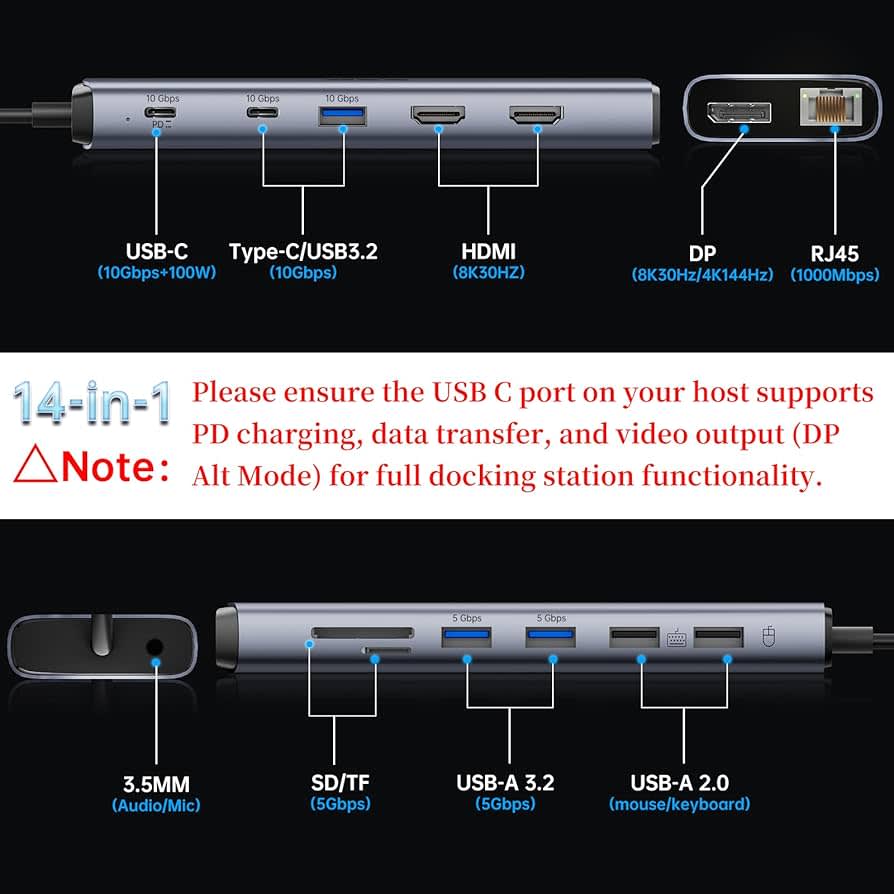
Port Specifications
| Port | Speed | Power Delivery | Video Output |
|---|
| USB 2.0 | 480 Mbps | 2.5W | No |
| USB 3.2 Gen 1 | 5 Gbps | 4.5W | No |
| USB 3.2 Gen 2 | 10 Gbps | 4.5W | No |
| USB 3.2 Gen 2x2 | 20 Gbps | 4.5W | No |
| USB4 | 40 Gbps | 100W | Yes (DP Alt) |
| Thunderbolt 4 | 40 Gbps | 100W | Yes (2x 4K) |
| Thunderbolt 5 | 80/120 Gbps | 240W | Yes (3x 4K) |
Wireless Specifications
| Standard | Max Speed | Range | Frequency |
|---|
| Wi-Fi 5 (802.11ac) | 3.5 Gbps | Good | 5 GHz |
| Wi-Fi 6 (802.11ax) | 9.6 Gbps | Better | 2.4/5 GHz |
| Wi-Fi 6E | 9.6 Gbps | Better | 2.4/5/6 GHz |
| Wi-Fi 7 (802.11be) | 46 Gbps | Best | 2.4/5/6 GHz |
| Bluetooth | Max Speed | Range | Audio Codecs |
|---|
| 5.0 | 2 Mbps | 240m | SBC, AAC |
| 5.2 | 2 Mbps | 240m | LC3 (LE Audio) |
| 5.3 | 2 Mbps | 240m | LC3, improved stability |
Specification Sheets: How to Read Them
Red Flags in Specification Sheets
| What You See | What It Might Mean |
|---|
| "Up to" speeds | Marketing maximum, not typical |
| RAM speed not listed | Likely slower spec |
| "Configurable" without details | Limited options available |
| TGP not specified | Likely lower power variant |
| "HD display" | Could be 1366x768 |
| Battery "hours" without Wh | Optimistic estimate |
Questions to Ask Your OEM
- CPU: What's the sustained TDP under load?
- RAM: Is it soldered or socketed? What's the maximum supported speed?
- Storage: How many M.2 slots? What lengths are supported?
- Display: What's the actual panel model number?
- GPU: What's the TGP configuration?
- Battery: What's the capacity in Wh, not just "hours"?
- Thermal: What are the sustained temperatures under load?
Sample Specification Request Template
CUSTOM ORDER SPECIFICATION REQUEST

Model: _______________
Quantity: _______________

CPU:
- Model: _______________
- Sustained TDP: _____ W
- Thermal solution: _______________

Memory:
- Capacity: _____ GB
- Type: DDR_-_____ MHz
- Configuration: _x_ GB (Dual Channel: Y/N)
- Upgradeable: Y/N
- Max Supported: _____ GB

Storage:
- Primary: _____ TB PCIe ___.0 NVMe
- Secondary Slot: Y/N (Size: _____)
- Brand/Model: _______________

Display:
- Size: _____"
- Resolution: _____x_____
- Panel Type: IPS / VA / OLED
- Refresh Rate: _____ Hz
- Color: _____% sRGB / _____% DCI-P3
- Brightness: _____ nits

GPU (if discrete):
- Model: _______________
- VRAM: _____ GB
- TGP: _____ W

Battery:
- Capacity: _____ Wh
- Adapter: _____ W

Connectivity:
- USB-A: _____ x USB ___._ Gen _
- USB-C: _____ x (Thunderbolt: Y/N)
- HDMI: _____ (Version: _____)
- Wi-Fi: _______________
- Bluetooth: _____

FAQ
What's the most important specification for business laptops?
For business use, prioritize in this order:
- RAM (16GB minimum, dual-channel)
- SSD speed (PCIe 4.0 NVMe)
- Display quality (IPS, 300+ nits)
- CPU (Core Ultra 5/7 or Ryzen AI 5/7)
How do I know if specifications are upgradeable?
Ask your OEM specifically:
- RAM: "Is memory soldered or SO-DIMM socketed?"
- Storage: "How many M.2 slots? What sizes?"
- Wi-Fi: "Is the wireless card M.2 or soldered?"
What specifications affect battery life most?
In order of impact:
- Display brightness and resolution (higher = more power)
- CPU TDP class (H > U > V)
- Discrete GPU (significant drain even idle)
- SSD type (NVMe uses more than SATA)
- RAM amount (minimal impact)
Should I prioritize CPU or GPU for general business use?
CPU. Integrated graphics (Intel Iris Xe, AMD Radeon 780M) handle:
- Office applications
- Video conferencing
- 4K video playback
- Light photo editing
Only specify discrete GPU for:
- Video editing
- 3D modeling
- Gaming
- Machine learning
What's the minimum specification for Windows 11?
| Component | Microsoft Minimum | Practical Minimum |
|---|
| CPU | 1 GHz, 2 cores | Core i5 / Ryzen 5 |
| RAM | 4GB | 8GB |
| Storage | 64GB | 256GB SSD |
| Display | 720p | 1080p |
Related Articles
Last Updated: January 2025
Need help specifying your custom laptop order? Contact AIERXUAN for expert guidance on component selection and OEM manufacturing.