
Last Updated: January 7, 2026 | Reading Time: 14 minutes | For: Brand Owners, Procurement Managers, System Integrators
Introduction
Want to build custom laptops for your business but unsure where to start?
Unlike consumer DIY builds where you assemble parts yourself, B2B custom laptop manufacturing means partnering with factories who handle the complex assembly—while you control specifications, branding, and features.
This practical guide walks you through the exact steps to build custom laptops with manufacturing partners. You'll get actionable checklists, real cost data, and lessons learned from actual projects.
What makes this guide different:
-
Step-by-step process with downloadable checklists
-
Real component pricing and cost breakdowns
-
Contract terms and negotiation tips
-
Common mistakes from actual projects (and how to avoid them)
For foundational concepts about OEM/ODM manufacturing models, see our Custom Laptop Manufacturing Complete Guide.
Table of Contents
Quick Start: Is Custom Manufacturing Right for You? {#quick-start}
Before diving in, assess if custom laptop manufacturing fits your situation:
| Factor | Custom Manufacturing | Retail/Reseller |
| :--- | :--- | :--- |
| Order volume | 100+ units | Any quantity |
| Timeline | 6-16 weeks | Immediate |
| Unit cost | 30-45% lower | Retail price |
| Branding | Full control | None |
| Specifications | You define | Fixed options |
| Upfront investment | Medium-High | Low |
Custom manufacturing makes sense when:
-
You need 100+ units with consistent specifications
-
Brand identity matters to your business
-
You want specifications not available retail
-
You're building a recurring product line
Stick with retail/reseller when:
-
You need fewer than 50 units
-
Timeline is under 4 weeks
-
One-time purchase with no repeat orders
Step 1: Define Your Requirements
Clear requirements save weeks of back-and-forth with manufacturers. Document these before reaching out.
Target User Profile
| Question | Why It Matters | Example Answer |
| :--- | :--- | :--- |
| Who uses it? | Determines durability, features | Corporate employees |
| Primary tasks? | Determines CPU/RAM needs | Office apps, video calls |
| Work environment? | Determines build quality | Office + occasional travel |
| Budget per unit? | Narrows component options | $450-550 manufacturing cost |
Requirements Checklist
Download and complete before contacting manufacturers:
Performance Requirements:
-
CPU tier: Entry / Mainstream / Performance / Workstation
-
RAM: 8GB / 16GB / 32GB / 64GB
-
Storage: 256GB / 512GB / 1TB / 2TB
-
GPU: Integrated / Dedicated (specify model)
Physical Requirements:
-
Screen size: 13" / 14" / 15.6" / 17"
-
Weight target: <1.5kg / <1.8kg / <2.2kg / No limit
-
Build material: Plastic / Aluminum / Magnesium alloy
-
Color preference: Silver / Black / Custom
Features:
-
Ports needed: USB-A qty___ / USB-C qty___ / HDMI / SD card / Ethernet
-
Biometrics: Fingerprint / IR camera / None
-
Keyboard: Standard / Backlit / Numeric keypad
-
Battery life target: ___hours
Business Requirements:
-
Target order quantity: ___units
-
Delivery deadline: ___
-
Budget per unit: $___
-
Certifications needed: FCC / CE / RoHS / MIL-STD / Energy Star
Step 2: Select Components
Component selection directly impacts cost, performance, and market positioning.
Processor (CPU)
Intel Options (2025 pricing at manufacturing scale):
| Processor | Best For | TDP | Cost Impact |
| :--- | :--- | :--- | :--- |
| Core i3-1315U | Basic office | 15W | Base ($85-95) |
| Core i5-1335U | Business standard | 15W | +$50 ($135-145) |
| Core i7-1365U | Power users | 15W | +$120 ($205-215) |
| Core i5-13500H | Performance | 45W | +$80 ($165-175) |
| Core i7-13700H | Gaming/Workstation | 45W | +$180 ($265-285) |
| Core Ultra 5 | AI-enabled | 28W | +$100 ($185-195) |
AMD Options:
| Processor | Best For | TDP | Cost Impact |
| :--- | :--- | :--- | :--- |
| Ryzen 5 7530U | Mainstream | 15W | Base ($80-90) |
| Ryzen 7 7730U | Performance | 15W | +$60 ($140-150) |
| Ryzen 5 7535HS | Gaming entry | 35W | +$50 ($130-140) |
| Ryzen 7 7735HS | Gaming/Creative | 35W | +$100 ($180-190) |
Graphics (GPU)
For gaming, creative, or workstation builds, dedicated GPU is essential:
| GPU | Use Case | Power Draw | Cost Impact |
| :--- | :--- | :--- | :--- |
| Intel Iris Xe | Office, basic | Integrated | Included |
| AMD Radeon 680M | Light gaming | Integrated | Included |
| NVIDIA RTX 3050 | Entry gaming | 75W | +$150-180 |
| NVIDIA RTX 4050 | Gaming/Creative | 80W | +$220-260 |
| NVIDIA RTX 4060 | Performance gaming | 115W | +$320-380 |
| NVIDIA RTX 4070 | Workstation | 140W | +$480-550 |
Note: Dedicated GPU requires larger chassis, better cooling, and bigger battery—factor these into total cost.
Memory and Storage
RAM (DDR5 pricing):
-
8GB: $25-30
-
16GB: $45-55
-
32GB: $90-110
-
64GB: $180-220
Storage (NVMe SSD):
-
256GB PCIe 3.0: $22-28
-
512GB PCIe 3.0: $35-45
-
512GB PCIe 4.0: $42-52
-
1TB PCIe 4.0: $70-85
Display
| Spec | Budget | Standard | Premium |
| :--- | :--- | :--- | :--- |
| Resolution | FHD (1920×1080) | FHD | QHD (2560×1440) |
| Panel | TN | IPS | IPS/OLED |
| Brightness | 250 nits | 300 nits | 400+ nits |
| Refresh | 60Hz | 60Hz | 120Hz+ |
| Cost | $45-55 | $65-80 | $120-180 |
Battery
| Capacity | Runtime | Weight | Cost |
| :--- | :--- | :--- | :--- |
| 42Wh | 5-6 hours | 200g | $28-32 |
| 54Wh | 7-8 hours | 260g | $35-42 |
| 72Wh | 9-11 hours | 340g | $48-58 |
| 90Wh | 11-13 hours | 420g | $62-75 |
* Runtime based on office workload with integrated graphics
Step 3: Find and Vet Manufacturers
Where to Find Manufacturers
Recommended sources:
-
Trade shows: Computex (Taiwan), Canton Fair (China), CES (USA)
-
B2B platforms: Alibaba (filter by "Verified Supplier"), Global Sources
-
Intel/AMD partner directories: Pre-vetted manufacturers
-
Industry referrals: Ask component distributors
Manufacturer Evaluation Scorecard
Rate each manufacturer 1-5 on these criteria:
| Criteria | Weight | Manufacturer A | Manufacturer B |
| :--- | :--- | :--- | :--- |
| Production capacity | 20% | | |
| Quality certifications (ISO) | 20% | | |
| Years in laptop manufacturing | 15% | | |
| MOQ flexibility | 15% | | |
| Communication quality | 15% | | |
| Sample quality | 15% | | |
| Weighted Score | 100% | | |
Vetting Process
Week 1-2: Initial Contact
-
Send RFQ to 5-8 manufacturers
-
Request: Company profile, certifications, client references
-
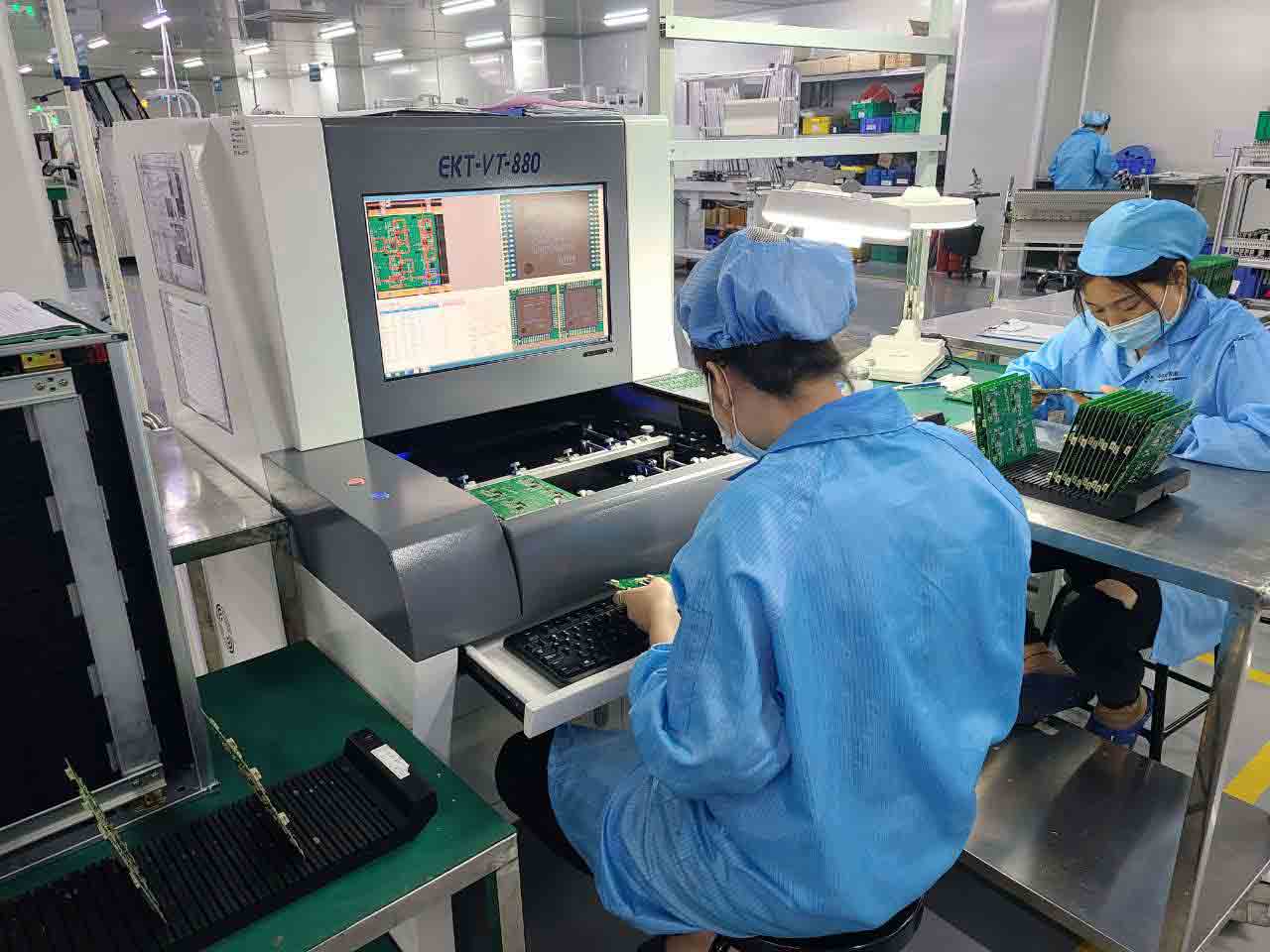
Evaluate: Response time, English proficiency, technical understanding
Week 3-4: Technical Evaluation
-
Request detailed quotes with component breakdown
-
Ask for sample units (expect $200-500 cost)
-
Verify certifications (request copies)
Week 5-6: Deep Dive
-
Video call with engineering team
-
Factory tour (virtual or in-person)
-
Reference check with existing clients
For a curated list of manufacturers, see our OEM Laptop Manufacturers Guide.
Step 4: Negotiate Terms and Contracts
This step is often overlooked but critical for project success.
Payment Terms
Standard payment structure:
| Milestone | Percentage | When |
| :--- | :--- | :--- |
| Deposit | 30% | Order confirmation |
| Pre-production | 40% | Before mass production starts |
| Balance | 30% | Before shipping (or against B/L) |
Negotiation tips:
-
First order: 30/40/30 is standard, don't push too hard
-
Repeat orders: Negotiate to 30/70 or even 20/80
-
Large orders (1000+): May get 20/30/50 or letter of credit terms
Key Contract Clauses
Must-have clauses:
-
Specification lock: Exact components with part numbers
-
Quality standards: AQL levels, testing requirements
-
Delivery schedule: Penalties for delays (typically 1-2% per week, capped at 10%)
-
Warranty terms: Standard: 12 months parts replacement, DOA allowance: 1-2%, RMA process and timeline
-
IP protection: NDA, design ownership, non-compete
Sample warranty clause:
"Manufacturer warrants products against defects in materials and workmanship for 12 months from delivery date. DOA (Dead on Arrival) rate not to exceed 1.5%. Manufacturer shall replace defective units within 30 days of RMA approval at no cost to Buyer."
Pricing Negotiation
| Tactic | Potential Savings |
| :--- | :--- |
| Commit to annual volume | 5-10% |
| Pay faster (net 15 vs net 30) | 2-3% |
| Accept previous-gen CPU | 15-25% |
| Standardize to one configuration | 3-5% |
| Order during off-peak (Feb-Apr) | 5-8% |
Step 5: Prototype and Testing {#step-5-prototype}
Never skip this step. Issues found in prototyping cost 10x less to fix than in production.
Prototype Stages
| Stage | Purpose | Units | Timeline | Cost |
| :--- | :--- | :--- | :--- | :--- |
| EVT (Engineering) | Verify functionality | 3-5 | 2-4 weeks | $1,500-3,000 |
| DVT (Design) | Validate design, stress test | 10-20 | 2-4 weeks | $5,000-10,000 |
| PVT (Production) | Verify production line | 50-100 | 1-2 weeks | At unit cost |
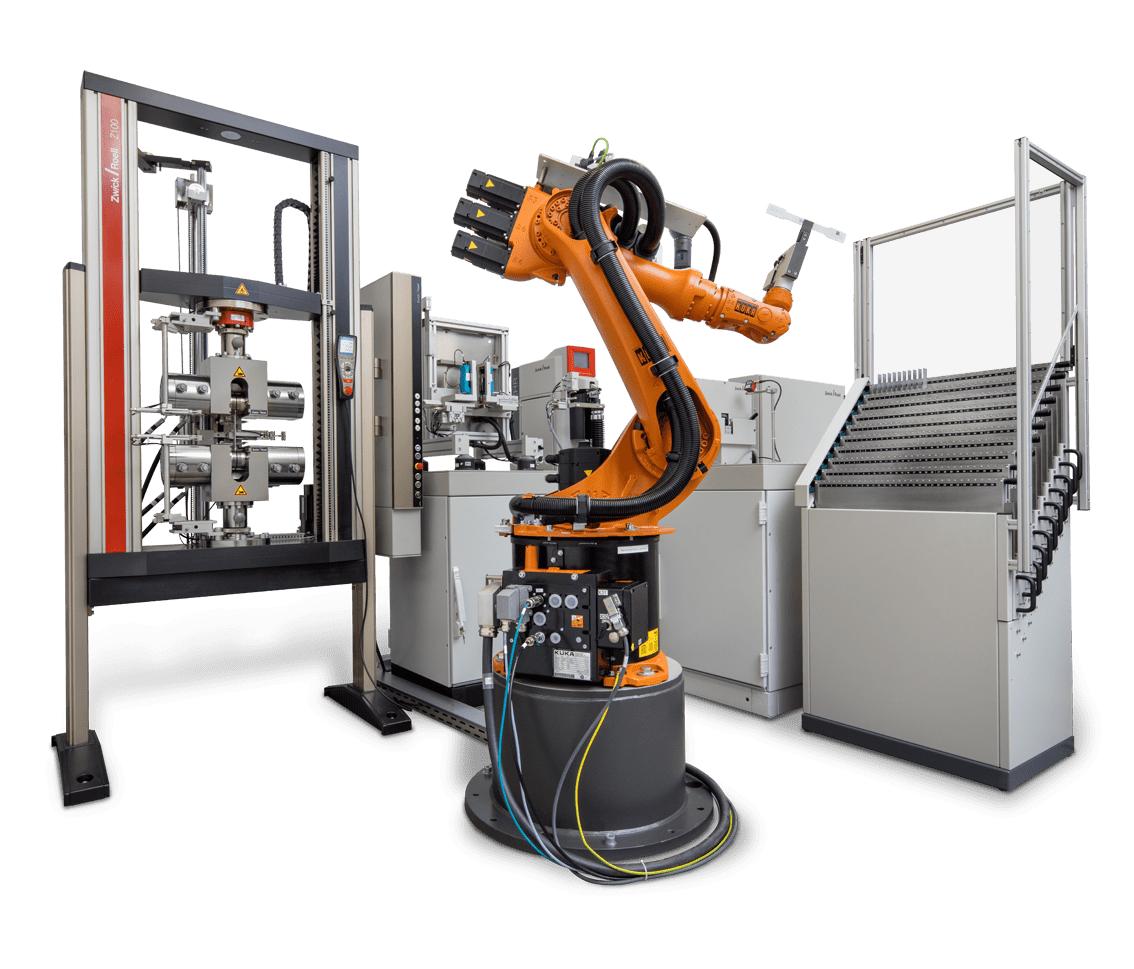
Testing Checklist
Functional (all units):
-
Boot test, BIOS access
-
All ports functional
-
Display: no dead pixels, uniform brightness
-
Keyboard: all keys responsive
-
Trackpad: gesture support, accuracy
-
Audio: speakers, microphone, headphone jack
-
Camera: image quality, privacy shutter
-
WiFi/Bluetooth: connection stability
-
Battery: charges to 100%, runtime test
Stress tests (sample units):
-
Thermal: CPU temp under sustained load (<95°C)
-
Battery: 500 cycle degradation test
-
Hinge: 20,000 open/close cycles
-
Keyboard: 10 million keystroke test
-
Drop: 76cm drop test (MIL-STD-810G)
Compliance (certification samples):
-
FCC Part 15 (USA)
-
CE marking (EU)
-
RoHS compliance
-
Energy Star (if applicable)
Step 6: Production and Delivery {#step-6-production}
Production Timeline
| Phase | Duration | Your Actions |
| :--- | :--- | :--- |
| Component procurement | 2-4 weeks | Confirm component availability |
| Production | 2-4 weeks | Request daily/weekly updates |
| Quality inspection | 3-5 days | Arrange third-party inspection |
| Packaging | 2-3 days | Approve packaging samples |
| Shipping (sea) | 3-5 weeks | Arrange customs clearance |
| Total | 10-16 weeks | |
Quality Control
Recommended AQL (Acceptable Quality Level):
-
Critical defects (safety, non-functional): 0%
-
Major defects (significant function issues): 1.0%
-
Minor defects (cosmetic): 2.5%
Third-party inspection options:
-
SGS, Bureau Veritas, Intertek: $300-500 per inspection
-
Freelance inspectors: $150-250 per day
Shipping Options
| Method | Transit Time | Cost/Unit* | Best For |
| :--- | :--- | :--- | :--- |
| Sea (FCL) | 25-35 days | $3-5 | 500+ units |
| Sea (LCL) | 30-40 days | $8-12 | 100-500 units |
| Air freight | 5-7 days | $20-35 | Urgent, <200 units |
| Express (DHL/FedEx) | 3-5 days | $40-60 | Samples, <50 units |
\Approximate cost China to US West Coast*
Cost Breakdown and Optimization
Typical Cost Structure (Mid-Range Business Laptop)
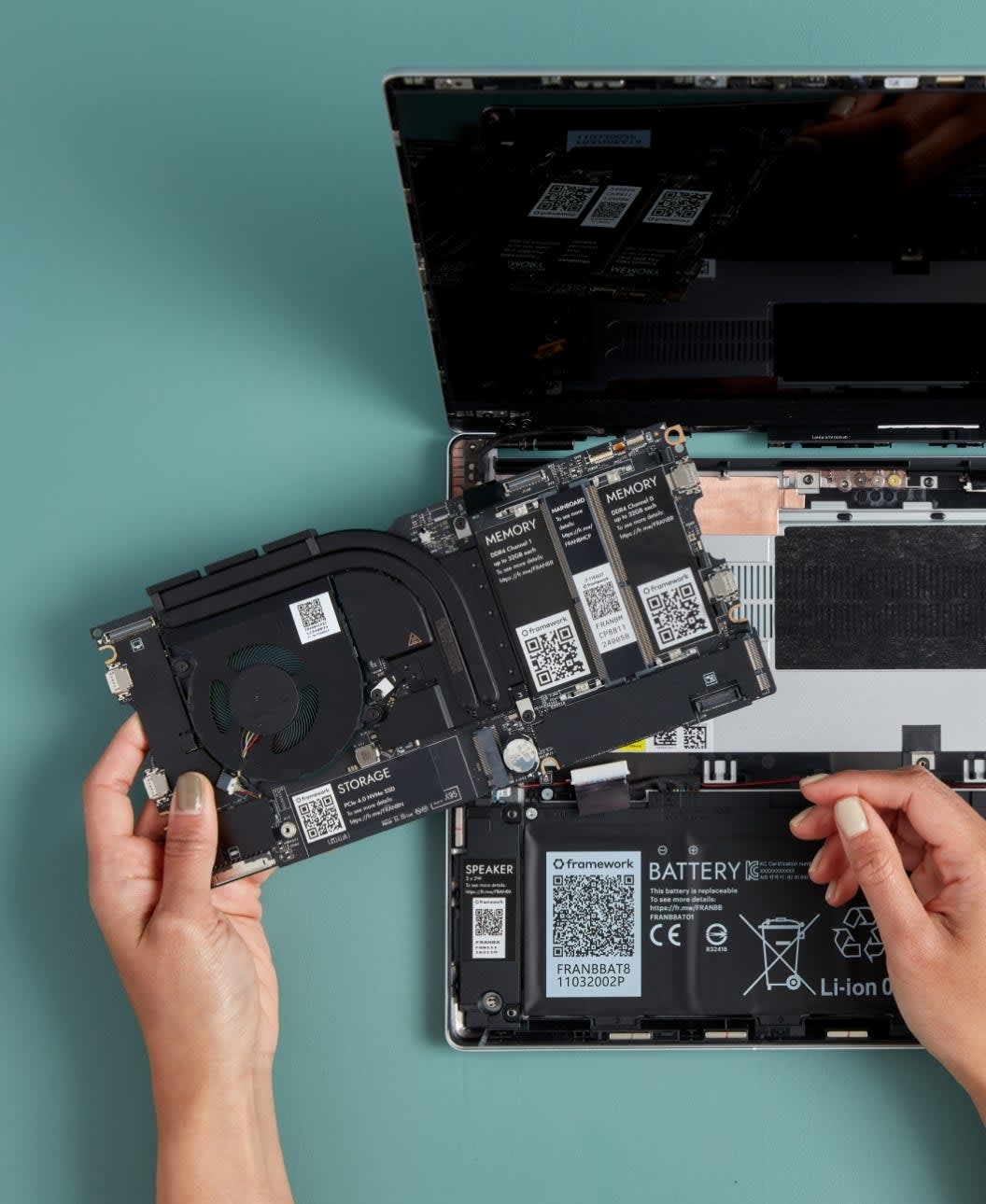
Configuration: Intel i5, 16GB RAM, 512GB SSD, 14" FHD IPS, 54Wh battery.
| Component | Cost | % of Total |
| :--- | :--- | :--- |
| CPU (Intel i5-1335U) | $140 | 28% |
| Display (14" FHD IPS) | $70 | 14% |
| RAM (16GB DDR5) | $50 | 10% |
| Storage (512GB NVMe) | $40 | 8% |
| Battery (54Wh) | $38 | 8% |
| Chassis + keyboard | $75 | 15% |
| Motherboard + components | $45 | 9% |
| Assembly + testing | $40 | 8% |
| Total | $498 | 100% |
Cost Optimization Strategies
| Strategy | Savings | Trade-off |
| :--- | :--- | :--- |
| Previous-gen CPU (i5-1235U vs 1335U) | $25-35 | 10-15% less performance |
| Plastic vs aluminum chassis | $30-50 | Perceived quality |
| 8GB vs 16GB RAM | $25 | Future-proofing |
| 256GB vs 512GB storage | $18 | User storage needs |
| 42Wh vs 54Wh battery | $10 | 1-2 hours less runtime |
Case Study: 500-Unit Education Project
Client: Regional education technology company (name withheld)
Goal: Custom-branded laptops for K-12 classroom deployment
Requirements
-
Budget: $420/unit manufacturing cost
-
Specs: Intel i3, 8GB RAM, 256GB SSD, 14" display
-
Features: Spill-resistant keyboard, reinforced hinges, asset tag slot
-
Branding: Custom boot logo, keyboard logo, packaging
-
Timeline: 10 weeks from order to delivery
Process Timeline
| Week | Activity | Outcome |
| :--- | :--- | :--- |
| 1-2 | RFQ to 6 manufacturers | 4 qualified responses |
| 3 | Sample evaluation | Selected manufacturer |
| 4-5 | EVT prototypes | 2 design issues identified |
| 6-7 | DVT prototypes | Issues resolved, approved |
| 8-11 | Production | 500 units completed |
| 12-13 | Shipping + customs | Delivered |
Results
-
Final cost: $408/unit (3% under budget)
-
Quality: 0.4% DOA rate (2 units)
-
Timeline: 13 weeks (3 weeks over initial target due to EVT issues)
Lessons Learned
-
Budget buffer: Initial EVT issues required chassis modification—always budget 10-15% contingency.
-
Prototype time: Don't rush EVT/DVT—the 2 extra weeks saved potential production disaster.
-
Communication: Weekly video calls with factory prevented misunderstandings.
Common Pitfalls
Pitfall 1: Vague Specifications
What happens: Manufacturer interprets specs differently, resulting in wrong product.
Prevention: Specify exact part numbers. Instead of "Intel i5," write "Intel Core i5-1335U (SRLCY)."
Pitfall 2: Skipping Prototypes
What happens: Design flaw discovered in 1,000-unit production run.
Prevention: Always complete EVT → DVT → PVT. Budget 4-8 weeks and $5,000-15,000.
Pitfall 3: Lowest Price Selection
What happens: Quality issues, communication problems, hidden costs.
Prevention: Evaluate total cost of ownership. A $20/unit savings means nothing if 5% are defective.
Pitfall 4: Ignoring Lead Times
What happens: Component shortage delays production by 6 weeks.
Prevention: Confirm component availability before signing. Build 4-week buffer into timeline.
Pitfall 5: No Contract Protection
What happens: Dispute over quality, no recourse.
Prevention: Written contract with specifications, AQL standards, warranty terms, and dispute resolution.
FAQ
What's the minimum order for custom laptops?
-
ODM (existing design): 100-300 units
-
OEM (custom design): 1,000-5,000 units
-
Samples: Some manufacturers offer 50-unit sample orders at a 20-30% premium.
How long does the entire process take?
-
First-time project: 12-20 weeks
-
Repeat order (same specs): 6-10 weeks
-
Full custom OEM design: 6-12 months
Can I visit the factory?
Yes, and you should for orders over 500 units. Most manufacturers welcome visits. Budget $2,000-4,000 for a China factory visit (flights, hotels, interpreter).
What certifications do I need?
Minimum for most markets:
-
USA: FCC Part 15
-
EU: CE marking
-
Global: RoHS
Cost: $5,000-15,000 for full certification suite.
How do I protect my design?
-
Sign NDA before sharing detailed specs.
-
Register trademarks in China (where manufacturing happens).
-
Include IP clauses in the manufacturing agreement.
-
Consider design patents for unique features.
Next Steps
Ready to build your custom laptop? Here's your action plan:
-
Complete the requirements checklist in Step 1.
-
Get component quotes to validate budget.
-
Contact 5-8 manufacturers with your RFQ.
-
Evaluate samples before committing.
-
Start with a trial order (100-200 units) to validate.
For personalized guidance, contact our team for a free consultation.
Related Articles
-
Custom Laptop Manufacturing: Complete Guide 2025 — Foundational concepts and customization levels
-
OEM vs ODM Manufacturing Guide — Choosing the right model
-
OEM Laptop Manufacturers: Top Suppliers 2025 — Manufacturer directory
-
ODM vs OEM Cost Analysis — Detailed cost comparison
AIERXUAN is an Intel-certified laptop and Mini PC manufacturer with 12+ years of OEM/ODM experience. We offer flexible MOQs starting at 100 units, with production facilities in Shenzhen, China.

Bowen Yang
Sales Manager at AIERXUAN
Bowen works with overseas distributors, education buyers, and private-label hardware teams on laptop and Mini PC sourcing. He focuses on practical OEM/ODM requirements, sample confirmation, lead time, configuration options, and factory-direct communication.
View Author Profile →