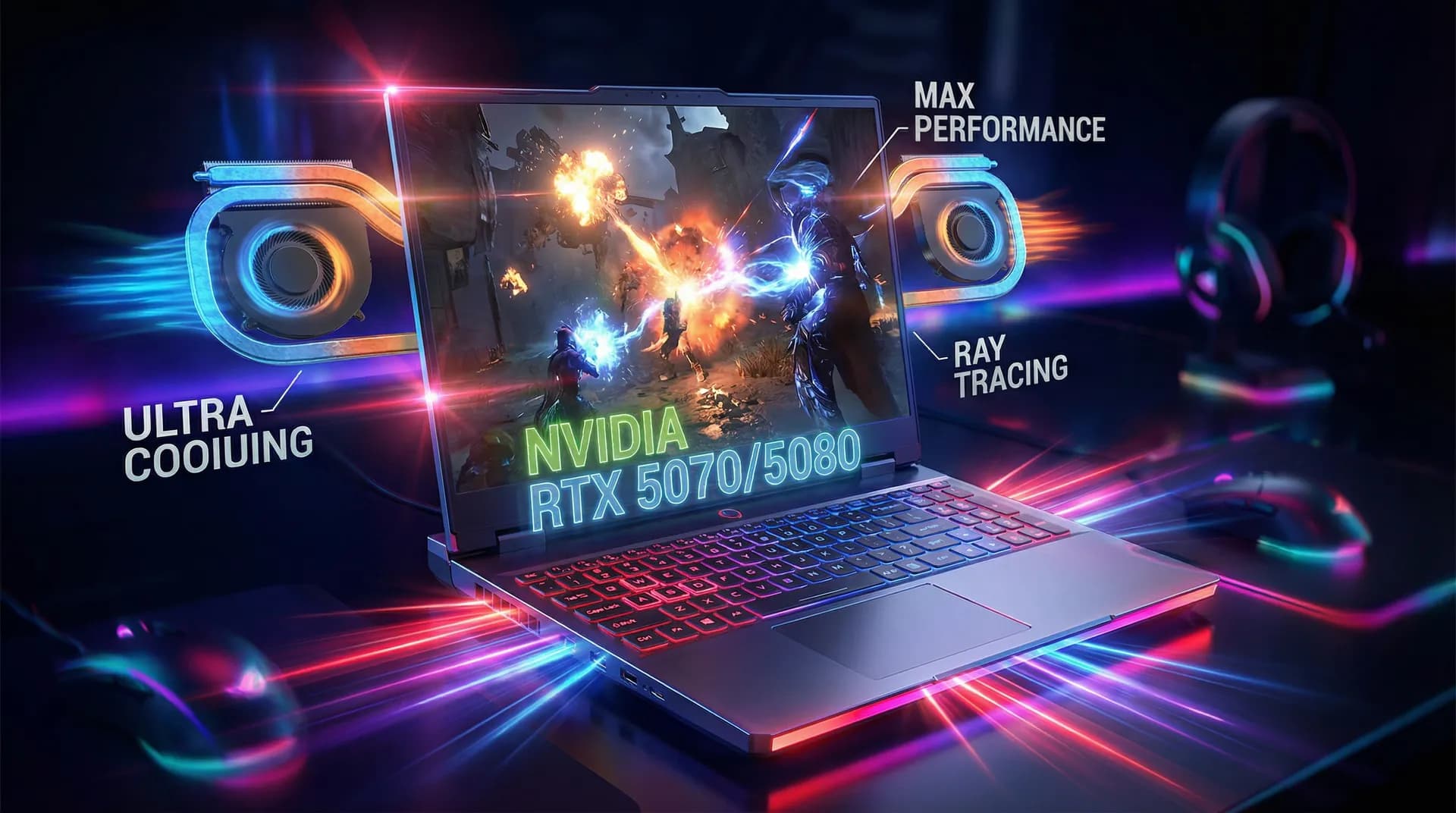
Build high-performance gaming laptops that compete with ASUS ROG, MSI, and Razer—through strategic OEM partnerships.
Table of Contents
- Why Gaming Laptops Require Specialized Manufacturing
- GPU Selection: The Heart of Gaming Performance
- Thermal System Design: The Make-or-Break Factor
- High Refresh Rate Display Selection
- Gaming-Specific Component Decisions
- Performance Benchmarking Standards
- Market Positioning Strategy
- Gaming Laptop OEM Manufacturer Comparison
- FAQ
Why Gaming Laptops Require Specialized Manufacturing
Gaming laptops aren't just "faster regular laptops." They require fundamentally different engineering approaches:
| Challenge | Regular Laptop | Gaming Laptop |
|---|---|---|
| Thermal Design Power (TDP) | 15-28W | 45-175W+ |
| Heat Dissipation | Single fan, passive | Dual fan, vapor chamber, liquid metal |
| Power Delivery | 65W adapter | 180-330W adapter |
| Display Requirements | 60Hz, color accuracy | 144-360Hz, low response time |
| Keyboard | Standard membrane | Mechanical, per-key RGB, N-key rollover |
| Audio | Basic stereo | High-wattage speakers, DTS/Dolby |
For foundational OEM/ODM concepts, see our Custom Laptop Manufacturing Guide.
This guide focuses exclusively on gaming-specific technical decisions that determine whether your product succeeds or fails in the competitive gaming market.
GPU Selection: The Heart of Gaming Performance
NVIDIA vs AMD: 2025 Gaming Laptop GPU Landscape
| GPU Series | Target Segment | TGP Range | VRAM | Recommended For |
|---|---|---|---|---|
| NVIDIA RTX 5090 Mobile | Flagship | 150-175W | 16GB GDDR7 | Premium gaming brands |
| NVIDIA RTX 5080 Mobile | High-end | 120-150W | 12GB GDDR7 | Performance-focused |
| NVIDIA RTX 5070 Mobile | Mid-range | 85-115W | 8GB GDDR7 | Best value segment |
| NVIDIA RTX 5060 Mobile | Entry gaming | 60-85W | 8GB GDDR6X | Budget gaming |
| AMD RX 8800M | High-end | 120-145W | 16GB GDDR6 | AMD ecosystem brands |
| AMD RX 8700M | Mid-range | 75-100W | 12GB GDDR6 | Cost-competitive builds |
GPU TGP Configuration Strategy
The same GPU chip performs vastly differently based on Total Graphics Power (TGP) allocation:
| RTX 5070 Mobile Config | TGP | 3DMark Time Spy | Real-World Impact |
|---|---|---|---|
| Max Performance | 115W | ~14,500 | Thick chassis, loud fans |
| Balanced | 100W | ~13,200 | Standard gaming laptop |
| Thin & Light | 85W | ~11,800 | Portable, quieter |
Critical Decision: Higher TGP requires better cooling. Don't spec a 140W GPU with a cooling system designed for 100W.
GPU Procurement Considerations
| Factor | NVIDIA | AMD |
|---|---|---|
| MOQ for OEM | 5,000+ units/quarter | 3,000+ units/quarter |
| Lead Time | 12-16 weeks | 10-14 weeks |
| Driver Support | Weekly updates | Monthly updates |
| Ray Tracing | Superior | Improving |
| Price Premium | 15-25% higher | Better value |
| Brand Recognition | Stronger with gamers | Growing |
Recommendation: For first-time gaming laptop brands, NVIDIA provides stronger marketing leverage despite higher costs. AMD offers better margins for price-competitive positioning.
Thermal System Design: The Make-or-Break Factor
Cooling Architecture Options
| Cooling Type | Cost | Performance | Best For |
|---|---|---|---|
| Dual Fan + Heat Pipes | $ | Good | Entry/mid-range gaming |
| Dual Fan + Vapor Chamber | $$ | Excellent | High-performance |
| Vapor Chamber + Liquid Metal | $$$ | Superior | Flagship models |
| Phase-Change Thermal Pad | $$$$ | Best | Ultra-premium |
Heat Pipe Configuration Guide
| GPU TGP | Minimum Heat Pipes | Recommended | Fan Size |
|---|---|---|---|
| 60-85W | 3 pipes | 4 pipes | 2x 50mm |
| 85-115W | 4 pipes | 5 pipes | 2x 60mm |
| 115-150W | 5 pipes | 6 pipes + vapor chamber | 2x 70mm |
| 150W+ | 6 pipes + vapor chamber | Full vapor chamber | 2x 80mm+ |
Thermal Interface Material (TIM) Selection
| TIM Type | Thermal Conductivity | Application | Cost per Unit |
|---|---|---|---|
| Standard Thermal Paste | 4-8 W/mK | Budget models | $0.50 |
| High-Performance Paste | 8-12 W/mK | Mid-range | $1.50 |
| Liquid Metal (Gallium) | 70-80 W/mK | High-end | $5.00 |
| Phase-Change Pad | 50-60 W/mK | Premium | $8.00 |
Warning: Liquid metal requires specialized application training and protective coating around the die. Factor in $2-3 additional labor cost per unit.
Thermal Testing Requirements
Before mass production, validate these thermal benchmarks:
| Test Scenario | Duration | Max CPU Temp | Max GPU Temp | Pass Criteria |
|---|---|---|---|---|
| CPU Stress (Prime95) | 30 min | 95°C | N/A | No throttling after 5 min |
| GPU Stress (FurMark) | 30 min | N/A | 87°C | Stable clock speed |
| Combined Load | 60 min | 95°C | 87°C | <5% performance drop |
| Gaming (Cyberpunk 2077) | 2 hours | 90°C | 85°C | Consistent FPS |
High Refresh Rate Display Selection
Gaming Display Specifications Matrix
| Panel Type | Refresh Rate | Response Time | Color Accuracy | Best For |
|---|---|---|---|---|
| IPS 144Hz | 144Hz | 5-7ms | 100% sRGB | Casual gaming |
| IPS 165Hz | 165Hz | 3-5ms | 100% sRGB | Mainstream gaming |
| IPS 240Hz | 240Hz | 1-3ms | 95% DCI-P3 | Competitive FPS |
| IPS 360Hz | 360Hz | 1ms | 90% sRGB | Esports professional |
| Mini-LED 240Hz | 240Hz | 2-3ms | 100% DCI-P3 | Premium all-around |
| OLED 240Hz | 240Hz | 0.1ms | 100% DCI-P3 | Best visual quality |
Display Panel Supplier Comparison
| Supplier | Panel Types | MOQ | Lead Time | Quality Tier |
|---|---|---|---|---|
| BOE | IPS 144-240Hz | 3,000 | 8 weeks | Good |
| AUO | IPS 165-360Hz | 5,000 | 10 weeks | Excellent |
| Innolux | IPS 144-165Hz | 2,000 | 6 weeks | Good |
| LG Display | OLED, IPS | 10,000 | 12 weeks | Premium |
| Samsung Display | OLED | 8,000 | 14 weeks | Premium |
Resolution vs Refresh Rate Trade-offs
| Resolution | Max Practical Refresh | GPU Requirement | Target Market |
|---|---|---|---|
| 1920x1080 (FHD) | 360Hz | RTX 5060+ | Esports, budget |
| 2560x1440 (QHD) | 240Hz | RTX 5070+ | Sweet spot |
| 3840x2160 (4K) | 120Hz | RTX 5080+ | Content creators |
Market Insight: QHD 165Hz is the 2025 sweet spot—balances visual quality with achievable frame rates on mid-range GPUs.
Gaming-Specific Component Decisions
Keyboard Requirements for Gaming
| Feature | Entry Gaming | Mid-Range | Premium |
|---|---|---|---|
| Key Type | Membrane | Low-profile mechanical | Full mechanical |
| Key Travel | 1.5mm | 1.8mm | 2.0mm+ |
| Actuation Force | 55g | 45-50g | Adjustable |
| RGB Lighting | Zone (4 zones) | Per-key | Per-key + underglow |
| Anti-Ghosting | 6-key rollover | N-key rollover | N-key + analog |
| Polling Rate | 125Hz | 1000Hz | 1000Hz+ |
Cost Impact: Per-key RGB mechanical keyboard adds $25-40 to BOM vs standard membrane.
Memory Configuration for Gaming
| Configuration | Use Case | Performance Impact |
|---|---|---|
| 16GB DDR5-4800 Single | Budget | -15% in memory-bound games |
| 16GB DDR5-5600 Dual | Standard | Baseline |
| 32GB DDR5-5600 Dual | Streaming/Multitask | +5% with background apps |
| 32GB DDR5-6400 Dual | Premium | +8-10% in optimized titles |
Critical: Always ship dual-channel. Single-channel memory cripples gaming performance.
Storage Strategy
| Configuration | Boot Time | Game Load | Cost |
|---|---|---|---|
| 512GB PCIe 4.0 | 12s | 15s | $ |
| 1TB PCIe 4.0 | 12s | 15s | $$ |
| 1TB PCIe 5.0 | 8s | 10s | $$$ |
| 2TB PCIe 4.0 | 12s | 15s | $$$ |
Recommendation: 1TB PCIe 4.0 minimum. Modern games are 100-150GB each. 512GB frustrates users.
Performance Benchmarking Standards
Required Benchmark Suite for Gaming Laptops
| Benchmark | What It Tests | Target Score (RTX 5070) |
|---|---|---|
| 3DMark Time Spy | Overall gaming | 13,000+ |
| 3DMark Port Royal | Ray tracing | 8,000+ |
| Cinebench R24 Multi | CPU multi-thread | 1,200+ |
| CrystalDiskMark | Storage speed | 7,000 MB/s read |
| AIDA64 Memory | Memory bandwidth | 70 GB/s+ |
Real-Game Benchmark Requirements
Test these titles at native resolution, High settings:
| Game | Target FPS (QHD) | Why This Game |
|---|---|---|
| Cyberpunk 2077 | 60+ FPS | GPU stress test |
| Counter-Strike 2 | 200+ FPS | Esports baseline |
| Fortnite | 144+ FPS | Popular competitive |
| Hogwarts Legacy | 50+ FPS | Open world stress |
| Call of Duty: Warzone | 100+ FPS | Battle royale standard |
Benchmark Documentation for Marketing
Create standardized benchmark cards for each SKU:
┌─────────────────────────────────────────┐
│  [Your Brand] Gaming Laptop Pro         │
│  RTX 5070 / i7-15700HX / 32GB DDR5     │
├─────────────────────────────────────────┤
│  3DMark Time Spy: 13,450               │
│  Cyberpunk 2077 (QHD High): 72 FPS     │
│  CS2 (FHD Competitive): 285 FPS        │
│  Battery Life (Gaming): 1.5 hours      │
│  Battery Life (Productivity): 6 hours  │
└─────────────────────────────────────────┘
Market Positioning Strategy
Gaming Laptop Market Segments
| Segment | Price Range | Target GPU | Key Differentiator |
|---|---|---|---|
| Budget Gaming | $800-1,200 | RTX 5060 | Price/performance |
| Mainstream | $1,200-1,800 | RTX 5070 | Balanced features |
| Performance | $1,800-2,500 | RTX 5080 | High-end gaming |
| Flagship | $2,500-4,000 | RTX 5090 | No compromises |
| Esports Pro | $1,500-2,200 | RTX 5070 | 360Hz, low latency |
Competitive Positioning Matrix
| Brand | Strength | Weakness | Your Opportunity |
|---|---|---|---|
| ASUS ROG | Brand recognition | Premium pricing | Value alternative |
| MSI | Wide range | Design dated | Modern aesthetics |
| Razer | Design, build | Very expensive | Similar quality, lower price |
| Lenovo Legion | Value | Less "gamer" appeal | Better gaming identity |
| Acer Predator | Aggressive pricing | Build quality | Better quality at similar price |
Brand Identity Checklist for Gaming
- Distinctive chassis design (not generic black box)
- Recognizable logo placement
- RGB lighting ecosystem
- Gaming-focused software suite
- Esports team sponsorship potential
- Streamer/influencer partnership program
- Discord community presence
- Gaming peripheral compatibility
Gaming Laptop OEM Manufacturer Comparison
Top Gaming-Capable OEM Partners
| Manufacturer | Gaming Experience | MOQ | Thermal Expertise | Customization Level |
|---|---|---|---|---|
| Clevo | 20+ years | 500 | Excellent | Full |
| Tongfang | 10+ years | 1,000 | Very Good | High |
| Quanta | 15+ years | 5,000 | Excellent | Medium |
| Compal | 15+ years | 3,000 | Very Good | Medium |
| BYD Electronics | 5+ years | 2,000 | Good | High |
Clevo Gaming Chassis Options (2025)
| Model | GPU Support | Display | Thickness | Best For |
|---|---|---|---|---|
| PD5x | Up to RTX 5070 | 16" QHD 165Hz | 23mm | Mainstream |
| PD7x | Up to RTX 5080 | 17" QHD 240Hz | 26mm | Performance |
| X170 | Up to RTX 5090 | 17" 4K 120Hz | 32mm | Flagship |
| NH5x | Up to RTX 5060 | 15" FHD 144Hz | 20mm | Budget |
For detailed Clevo partnership information, see our Clevo OEM Manufacturing Guide.
Manufacturer Selection Criteria for Gaming
| Criteria | Weight | Evaluation Method |
|---|---|---|
| Thermal design capability | 30% | Request thermal test data |
| Gaming chassis portfolio | 25% | Review existing designs |
| Component sourcing (GPU) | 20% | Verify NVIDIA/AMD partnership |
| Customization flexibility | 15% | Sample modification request |
| After-sales support | 10% | Reference check |
FAQ
What's the minimum MOQ for custom gaming laptops?
Most gaming-capable OEMs require 500-1,000 units minimum. Clevo offers the lowest at 500 units for existing chassis with custom branding. Full custom designs typically require 3,000+ units.
How long does gaming laptop development take?
- Existing chassis + branding: 8-12 weeks
- Modified chassis: 16-20 weeks
- Full custom design: 9-12 months
Should I use NVIDIA or AMD GPUs?
NVIDIA dominates gaming laptop mindshare (85%+ market). For a new brand, NVIDIA provides stronger marketing leverage. AMD offers 15-20% cost savings for price-competitive positioning.
What's the most common gaming laptop failure point?
Thermal system failures account for 60% of gaming laptop issues. Invest in proper thermal design and testing—it's cheaper than warranty claims.
How do I compete with established gaming brands?
Focus on underserved niches:
- Better value in the $1,200-1,500 range
- Superior thermal design at mid-range prices
- Specific game genre optimization (esports, simulation)
- Regional market focus with localized support
What certifications do gaming laptops need?
Standard certifications plus:
- NVIDIA GeForce certification (for "GeForce" branding)
- Intel Evo certification (optional, for hybrid gaming/productivity)
- THX Spatial Audio (premium audio positioning)
- Pantone Validated (for creator crossover appeal)
Related Articles
- Custom Laptop Manufacturing: Complete Guide 2025 - Foundational OEM/ODM concepts
- How to Build a Custom Laptop: B2B Manufacturing Guide - Step-by-step procurement process
- ODM vs OEM Cost Analysis - Financial comparison
- Clevo OEM Manufacturing Guide - Detailed Clevo partnership guide
Quick Reference: Gaming Laptop Spec Sheet Template
┌─────────────────────────────────────────────────────────┐
│  GAMING LAPTOP SPECIFICATION SHEET                      │
├─────────────────────────────────────────────────────────┤
│  Model: _____________    Target Price: $________        │
│  Market Segment: □Budget □Mainstream □Performance       │
├─────────────────────────────────────────────────────────┤
│  GPU: _____________ TGP: _____W                         │
│  CPU: _____________ TDP: _____W                         │
│  RAM: _____GB DDR_-_____ □Single □Dual Channel         │
│  Storage: _____TB PCIe ___.0                           │
├─────────────────────────────────────────────────────────┤
│  Display: _____" ______x______ _____Hz                  │
│  Panel: □IPS □OLED □Mini-LED                           │
│  Response: _____ms  Color: ____% sRGB / ____% DCI-P3   │
├─────────────────────────────────────────────────────────┤
│  Cooling: □Dual Fan □Vapor Chamber □Liquid Metal       │
│  Heat Pipes: _____ TIM: _______________                │
├─────────────────────────────────────────────────────────┤
│  Keyboard: □Membrane □Mechanical  RGB: □Zone □Per-key  │
│  Battery: _____Wh  Adapter: _____W                     │
│  Weight: _____kg  Thickness: _____mm                   │
└─────────────────────────────────────────────────────────┘
Last Updated: January 2025
Looking to start your gaming laptop brand? Contact AIERXUAN for OEM manufacturing consultation with gaming-specific expertise.

Bowen Yang
Sales Manager at AIERXUAN
Bowen works with overseas distributors, education buyers, and private-label hardware teams on laptop and Mini PC sourcing. He focuses on practical OEM/ODM requirements, sample confirmation, lead time, configuration options, and factory-direct communication.
View Author Profile →